Topo Designs Cosmos Backpack Review
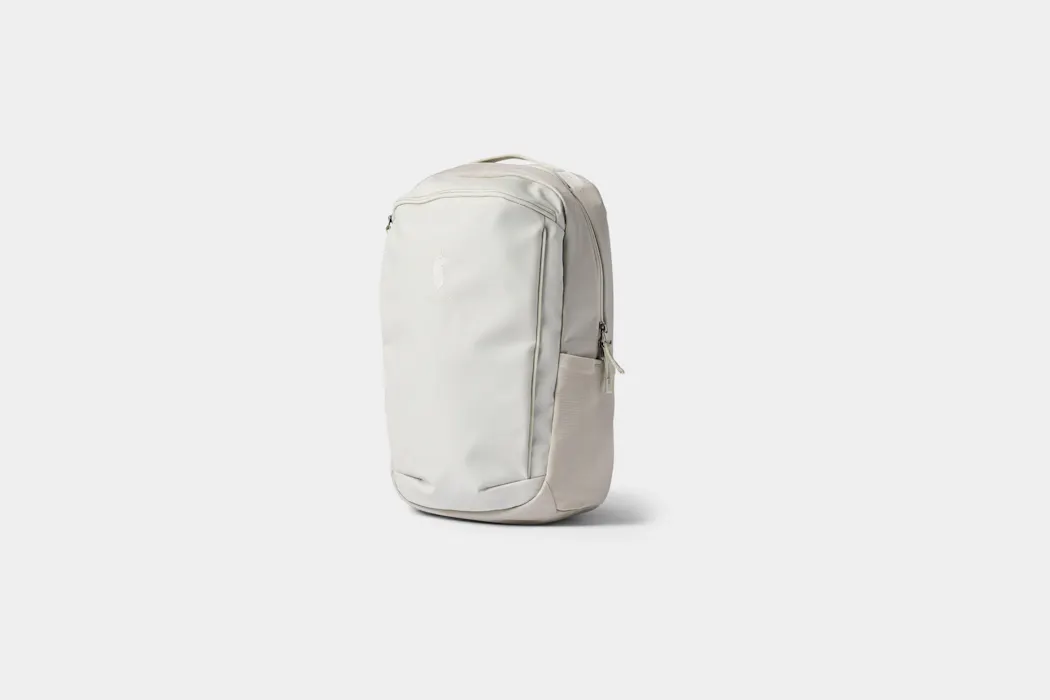
The Topo Designs Cosmos Backpack lacks much structure or internal organization, but has a lot of space and is surprisingly comfortable to carry.
Our Verdict
Save time. Get access to brief summaries of our reviews so you can browse and make decisions more efficiently.
Pros
- It holds a lot
- The cinch top is easy to open and close
- It's very comfortable for such an unstructured bag
Cons
- Due to its lack of structure, it's not always easy to load gear
- There's no padding on the laptop sleeve or a pass-through to make it usable for a hydration pack
- The top internal pocket blocks access to the laptop sleeve
Technical Details
-
Capacity
22l
-
Weight (lb)
0.9 lb (0.4 kg)
-
Dimensions
18 in x 11 in x 6 in (45.7 x 27.9 x 15.2 cm)
-
Notable Materials
Recycled Nylon, PFC-free, YKK Zippers, Woojin Hardware
-
Manufacturing Country
Vietnam
-
Laptop Compartment Size
16"
-
Warranty Information
Full Review
Get up to 15% off Topo Designs • Join Pack Hacker Pro
Some daypacks have a lot of bells and whistles, while others keep things more minimalistic. The Topo Designs Cosmos Backpack is much more the latter than the former, with a design that reminds us of a simple rucksack we’d be more likely to carry on a hike than to the office.
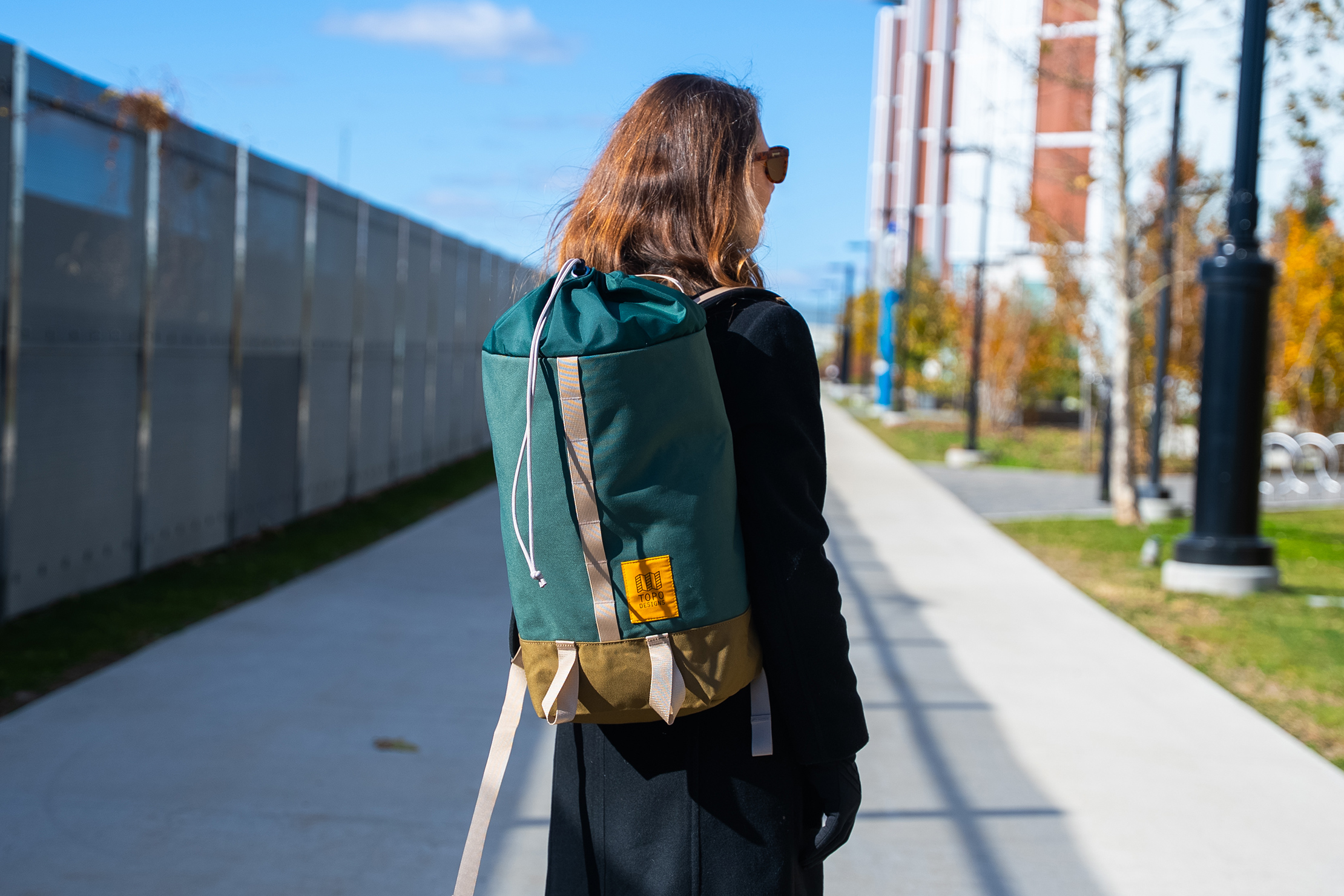
A lack of structure and internal organization has its place, though, namely in providing more space to fill, like how some houses feel larger than they are but lack closet space, while others have an extreme amount of square footage allocated for storage. We’ve been testing it on weekend getaways and to the office for weeks to find out how the Cosmos Backpack stacks up, so let’s get to it!
External Components
The entire Topo Designs Cosmos Backpack is made from recycled nylon with a PFC-free DWR for water resistance. The main body is 1000D material for durability, while the top is a thinner 400D fabric to make it easier to cinch closed.
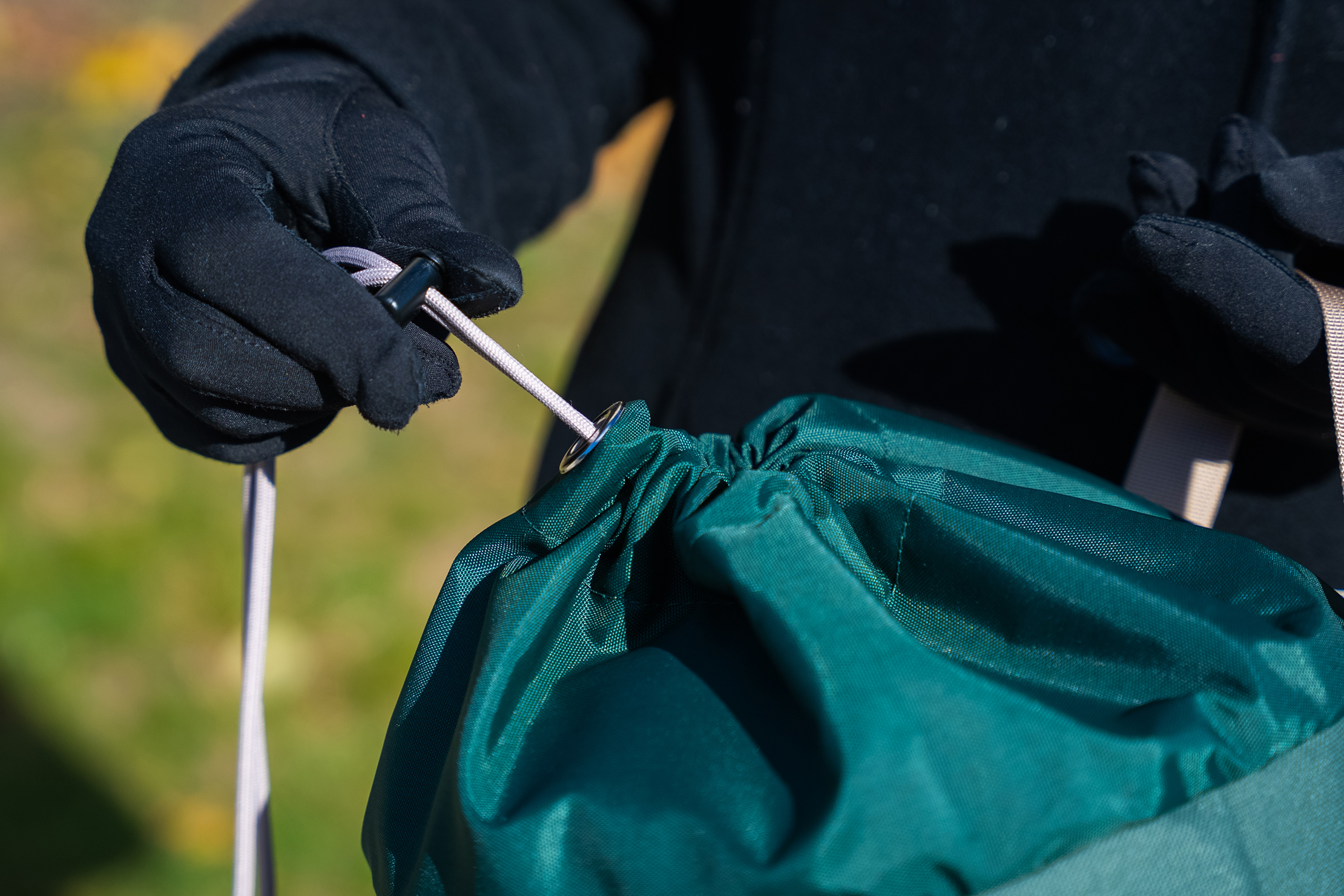
That is how it fastens, in case you hadn’t noticed that yet. There’s a simple cord to pull and secure with a toggle when it’s time to go. That makes things quick and easy, yet leaves a hole at the top where moisture could get in if you get caught in a downpour, so that’s something to keep in mind if you’re carrying something sensitive like your laptop. Bring an umbrella, or there’s a chance that it could get a little wet. Only a small chance, but still a chance.
Woojin makes the hardware on the bag, which includes D-rings on the shoulder straps and the adjusters to extend them to your preferred length. It all works well, and those adjusters stay in place no matter how many times you put the backpack on and take it off, which we appreciate. YKK makes the lone zipper on the bag, located on an internal pocket, and we’ve had no issues with it, either.
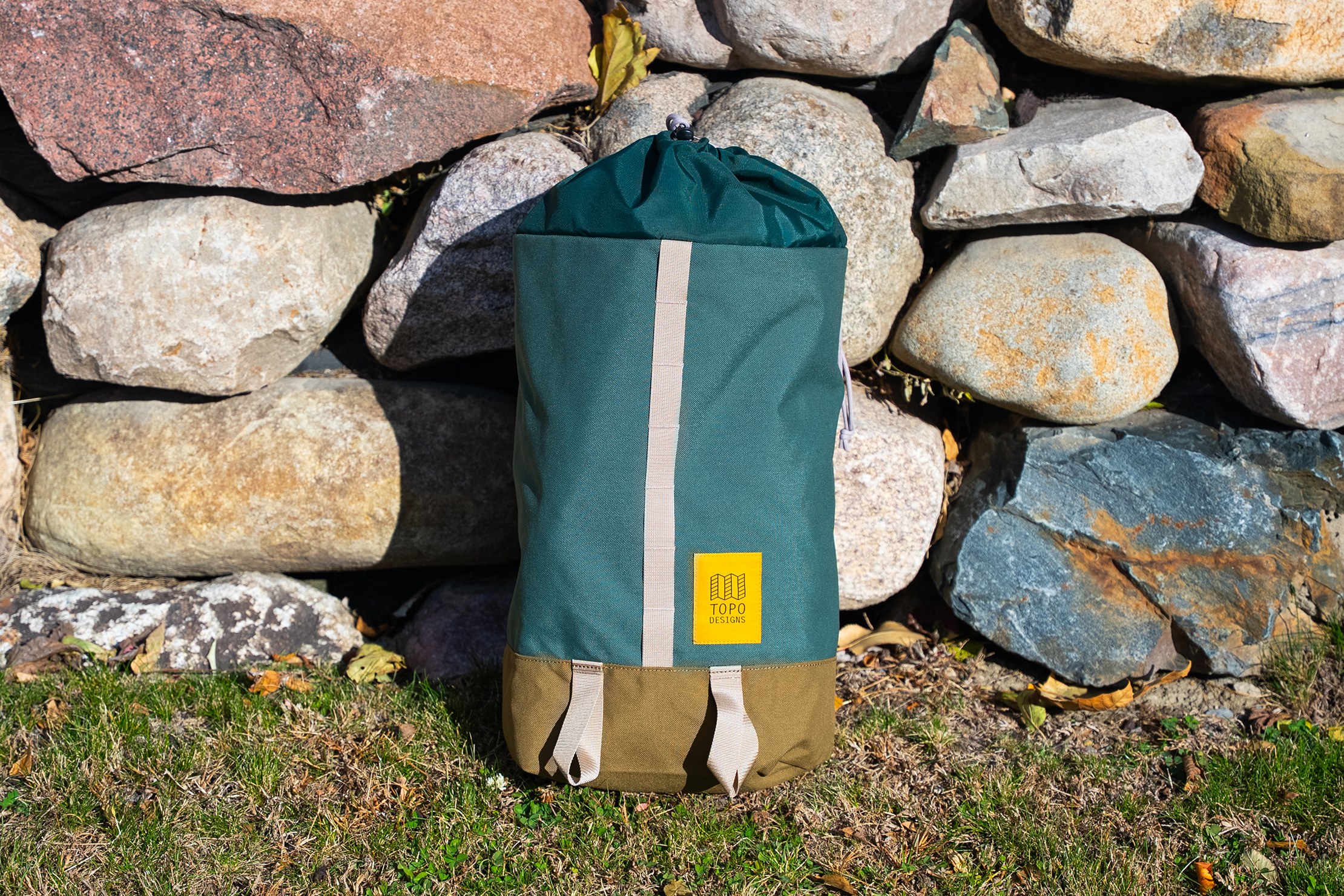
There is a daisy chain of webbing loops parading down the center of the bag’s front where you can use carabiners to connect other gear. We’ve been using it to keep the key fob to the office handy, and while the webbing is thick, we haven’t had any problems with sliding a carabiner through daily.
The Topo Designs logo patch is next to these loops at the bottom of the chain, giving the backpack the same heritage feel we know and love from the brand.
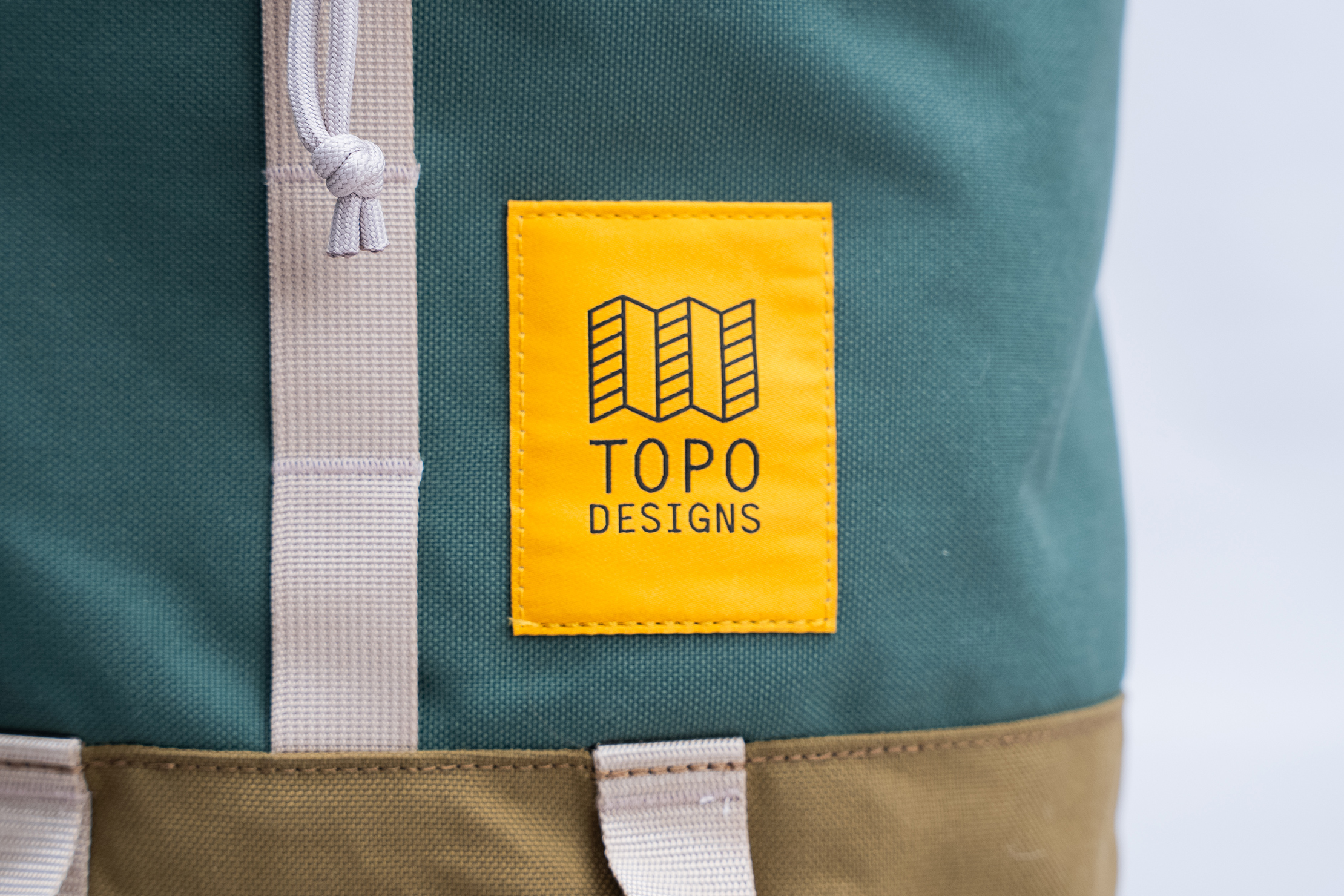
Below that are two larger loops where you can slide gear through to hold it in place. Items like travel tripods and perhaps an umbrella come to mind, although we’d make sure to fasten them with a carabiner to ensure they don’t slide out along the way. For our purposes, the loops remained empty through testing; we never had anything that slim to carry, and there was so much space inside that we didn’t feel the need to use them.
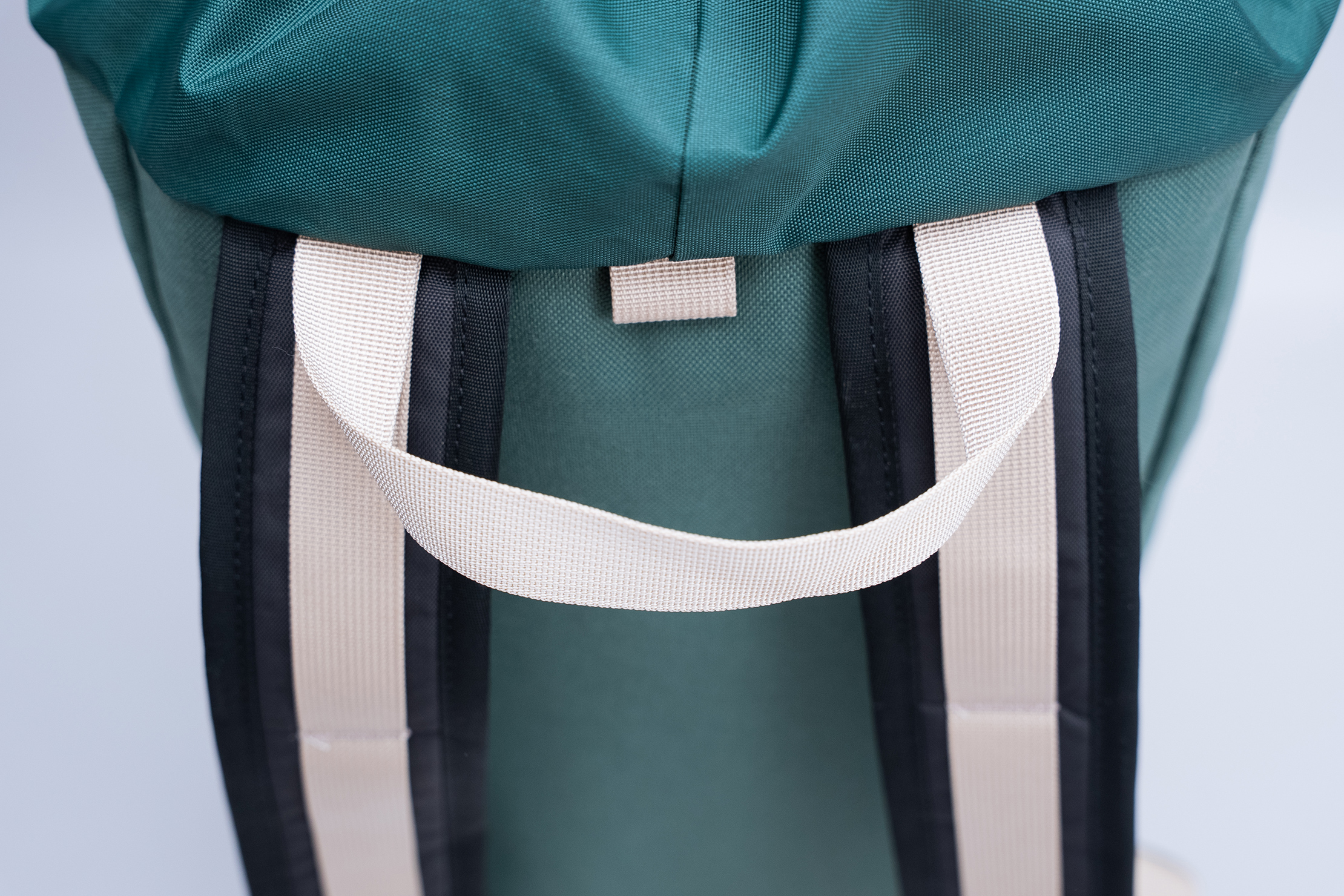
The back panel features a large carry handle. It’s a simple webbing strap, but easy enough to hold and pretty comfortable, even with a heavy load. There’s a small loop centered beneath it where you could use a carabiner to hang the bag up if you prefer, but it’s so small we never used it on our hook at the office.
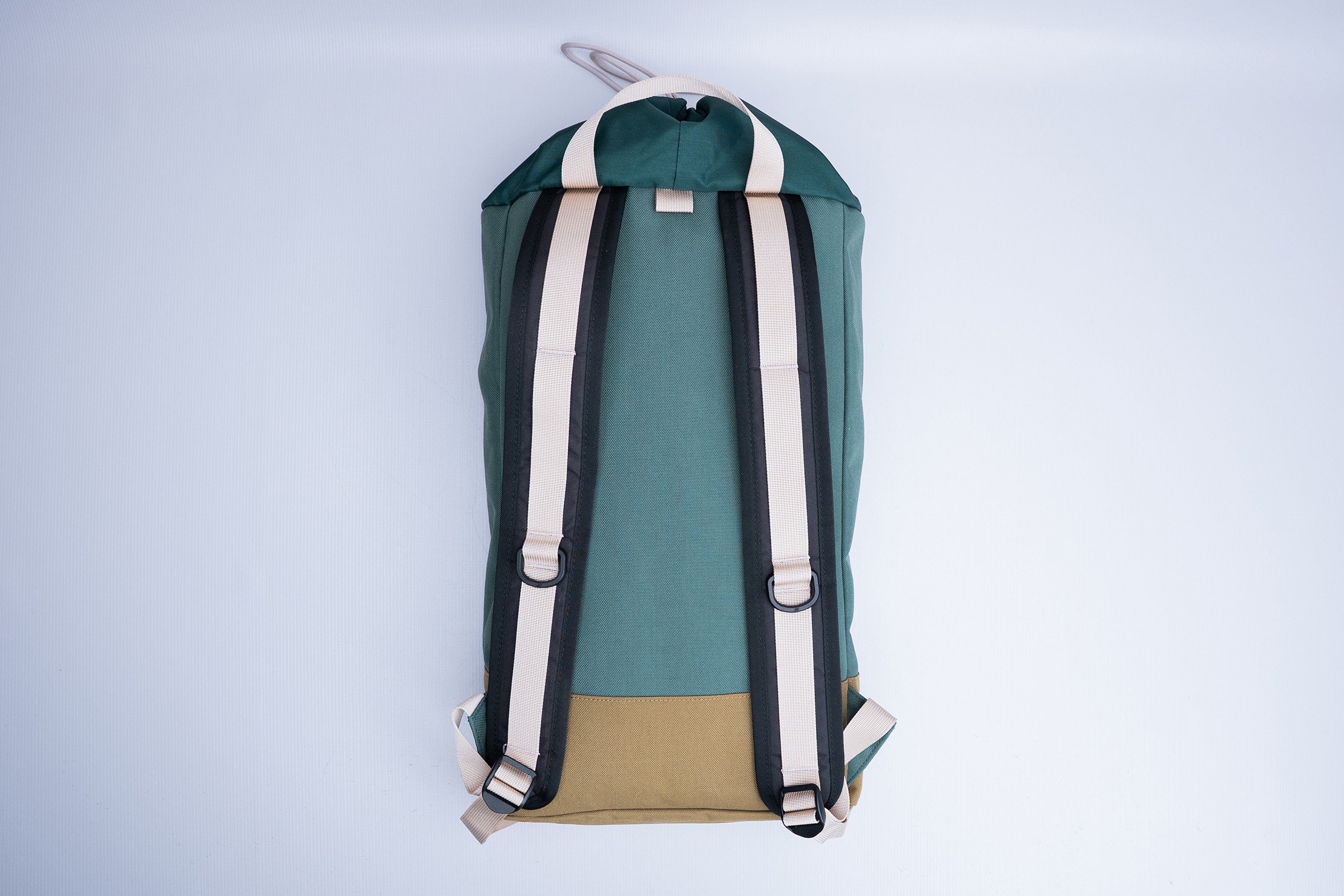
The harness system is as minimal as the bag’s design would suggest. You get two thinly-padded shoulder straps and a thinly padded back panel, and that’s it. Webbing straps create three loops down the front of the shoulder straps, and you can use those and the D-rings to connect more gear. The bag lacks a sternum strap, hip belt, or breathable mesh, though, surprisingly, we didn’t miss the extra support.
Fit Notes
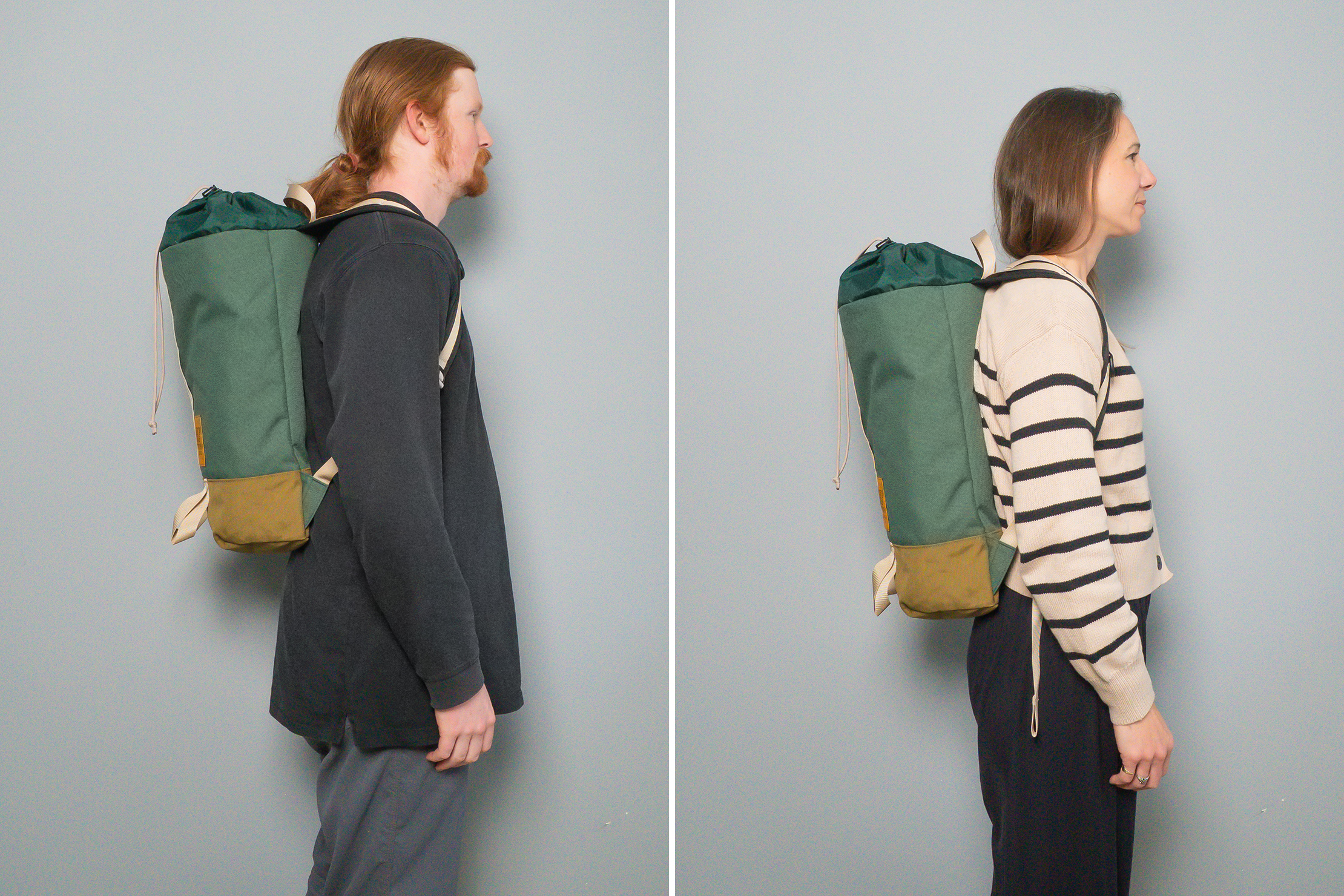
The tl;dr on the fit is that it’s quite comfortable. Our tester was actually quite surprised to find that the beefier harness system of the Topo Design Global Travel Backpack was actually more uncomfortable than the simple one on the Cosmos Backpack. Who would’ve guessed? Not us.
We’re testing this in colder weather, but we imagine that things will get warm if you do want to carry the Cosmos Backpack on a summer hike. However, the minimal padding works well enough with the broad shoulder straps to spread the weight out, keeping things from digging in or your back sore. Sure, you can feel your laptop, but since even a smaller device takes up most of the back panel, it’s not uncomfortable at all and actually provides a bit of structure. Without a laptop, the bag molds to fit your body, which we welcome.
While we’ve been carrying it to and from an office for weeks, it’s not the type of backpack that fits in most professional settings. It definitely has a casual, outdoorsy vibe, whether you opt for the Forest/Desert Palm (green and tan) colorway we’ve been testing or the Aura/Black (blue and black with a grid-patterned top). It’s great for the trail, a college campus, as a personal item bag on the plane, and in more casual tourist spots. Just leave it at the hotel when it’s time for that 3-star Michelin dinner you spent months trying to book.
Inside The Backpack
The Cosmos Backpack doesn’t have any external pockets, so it’s time to head inside.
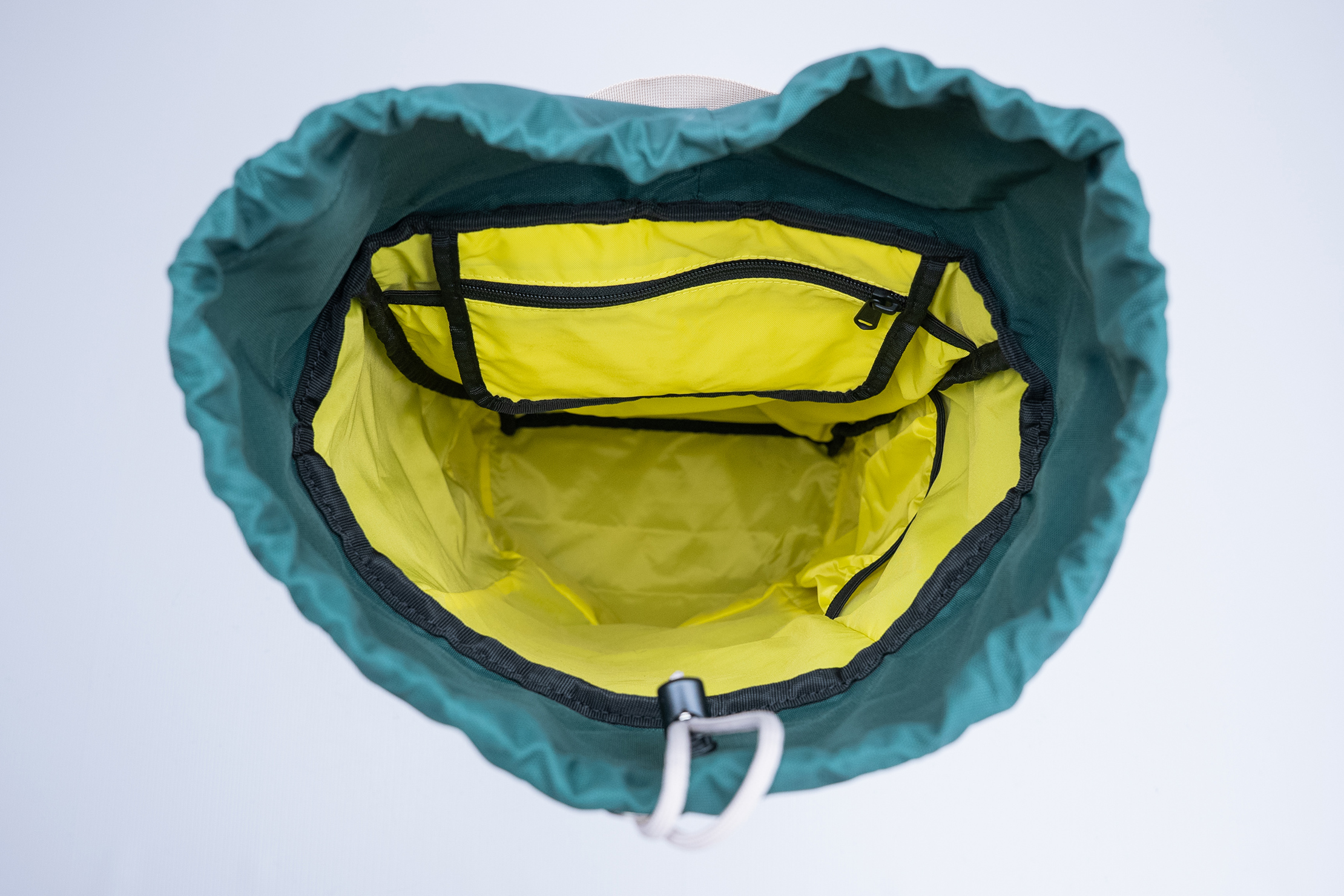
The lining is Topo Designs’ signature bright yellow. It’s especially helpful on a top-loading bag like this, where the bottom can be hard to see. Bright liners like this one make things more visible, which is good if you’ve lost your glasses case at the bottom of the bag or need to reach your gloves after they’ve become buried under everything else.
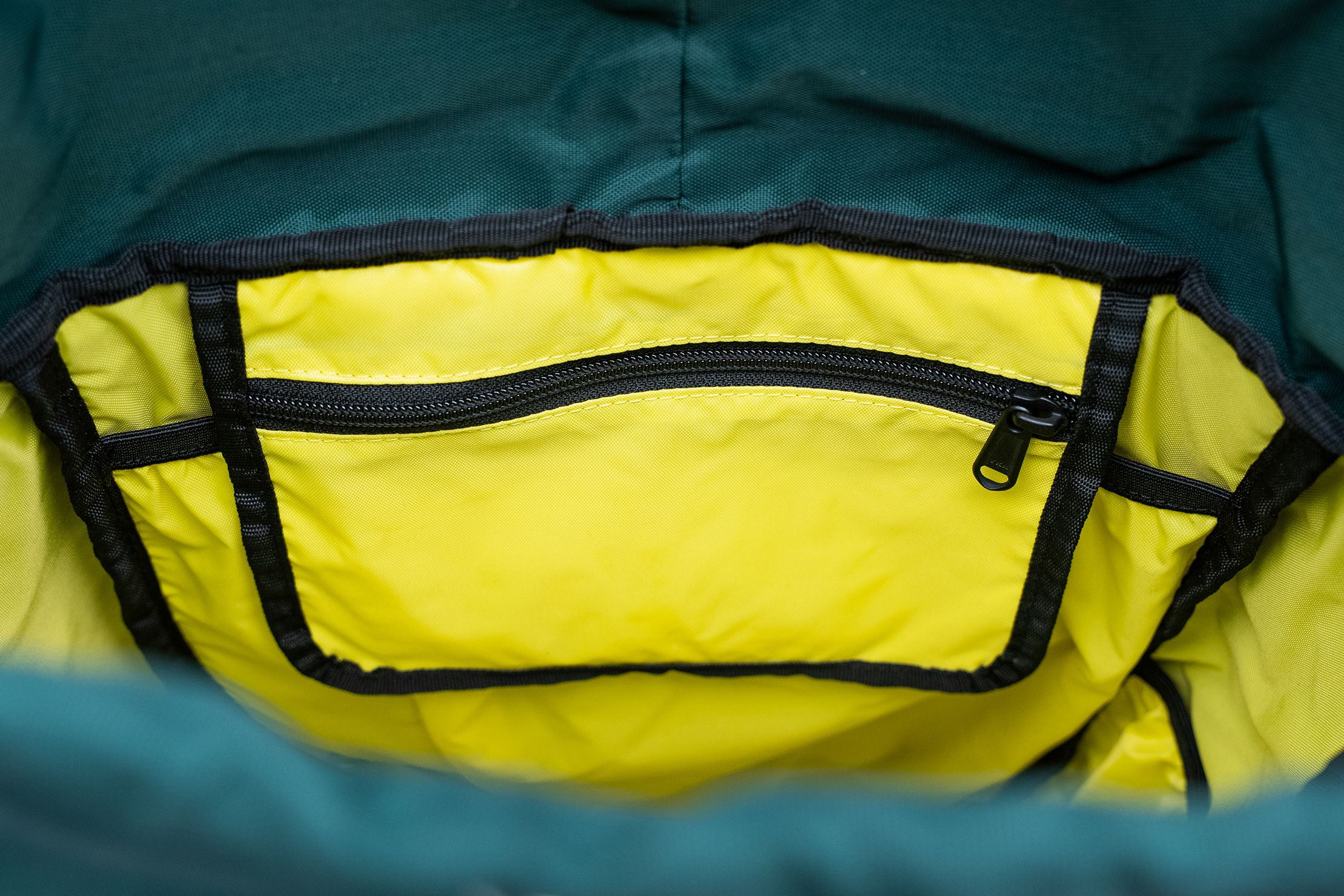
Against the back panel is a drop pocket that zips shut. It’s the only place to lock down tiny gear in this bag if you don’t put dongles, drives, and cards in a separate tech pouch. It’s where we like to stick our phone, wallet, and keys, since its position at the top of the bag gives you the quickest access you’ll find on the Cosmos Backpack.
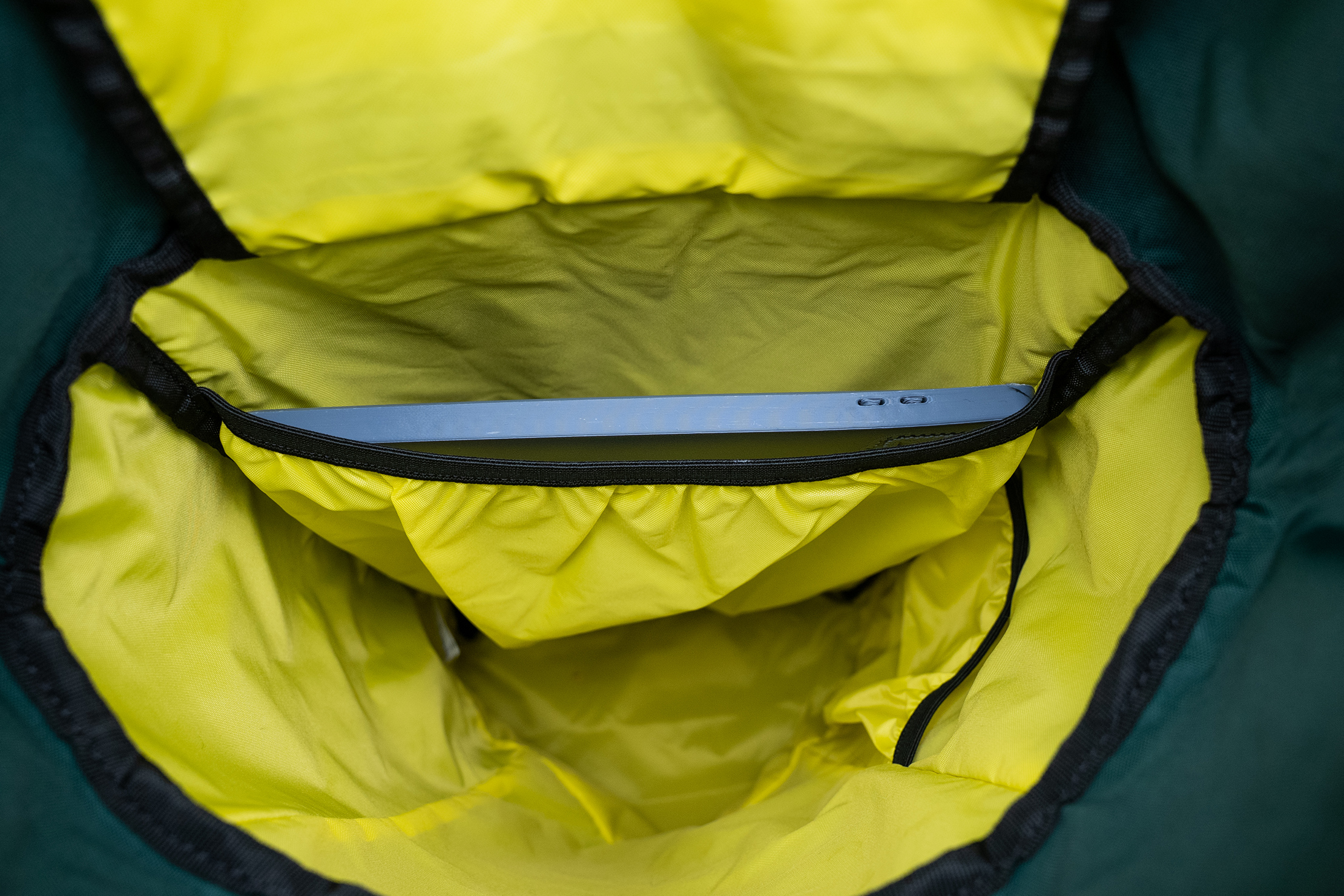
That pocket hangs down in front of the laptop sleeve, though. If you’ve filled it with AirPods and other gear as we have, you’ll have to pull it out of the way to slide in and pull out your computer. Since there’s no padding on the sleeve except for the minimal amount on the back panel, you might find the bag collapsing on you as you try to put away your device, primarily with other gear in the bag. We routinely carried a journal, a toiletry kit, and our lunch inside the bag, and the journal and Dopp kit tended to fall into the laptop sleeve, closing it off at the top and making it hard to slide in our MacBook.
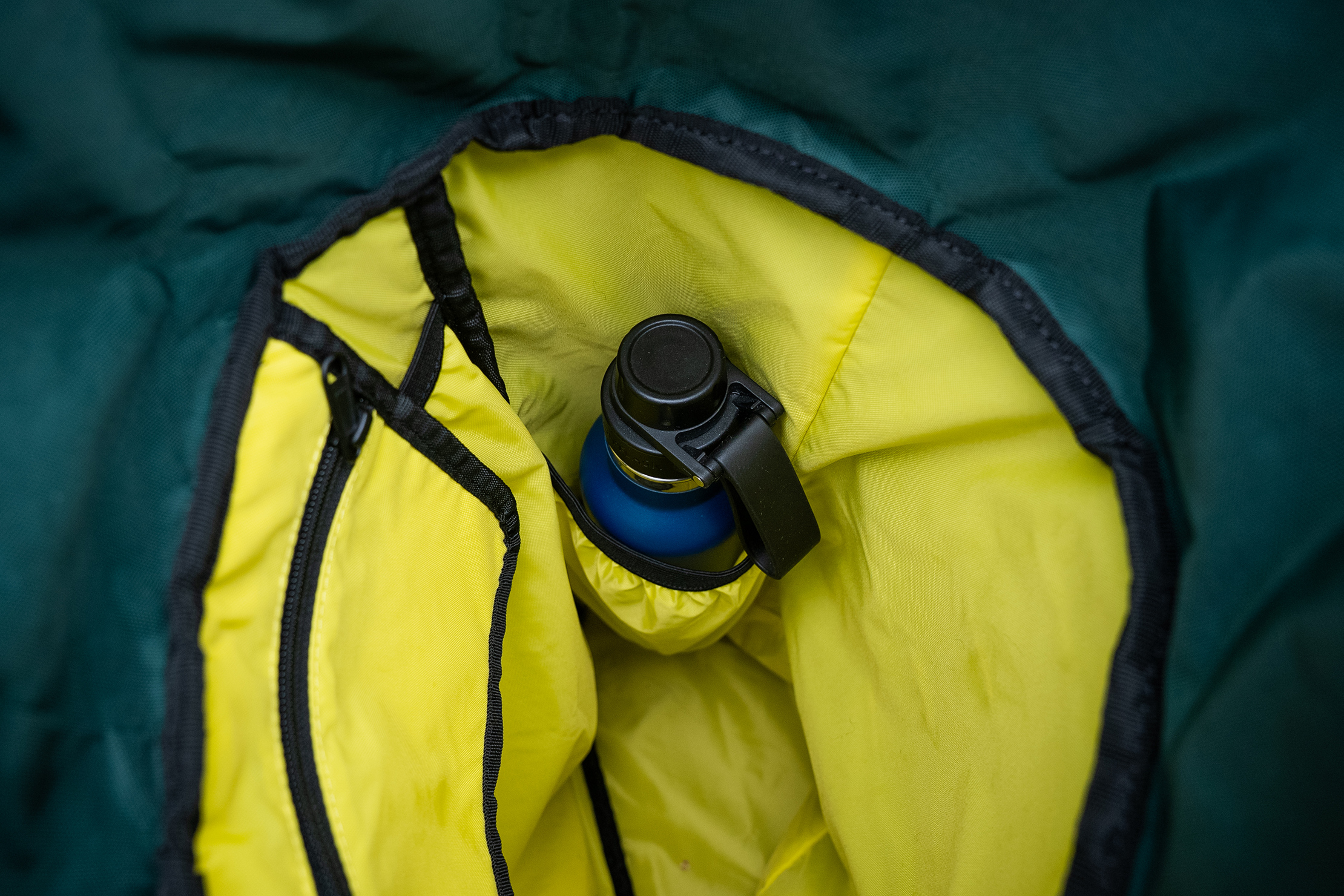
On the right side of the bag is one more slip pocket. It’s designed to hold a water bottle and can accommodate wide-mouth models, like a Nalgene. We didn’t do that much, though, because it always seemed like more work to shift everything around to slide it in and out, and we don’t love putting even the most leakproof bottle next to an unprotected laptop (we’ve had user-error issues with that in the past). Instead, it turned out to be a great spot for our tester’s glasses case, as that’s what she needed to find easily each day. If you put your laptop in a protective case before sliding it into the sleeve and want to stick a bottle in, however, the pocket will keep it standing upright as you walk.
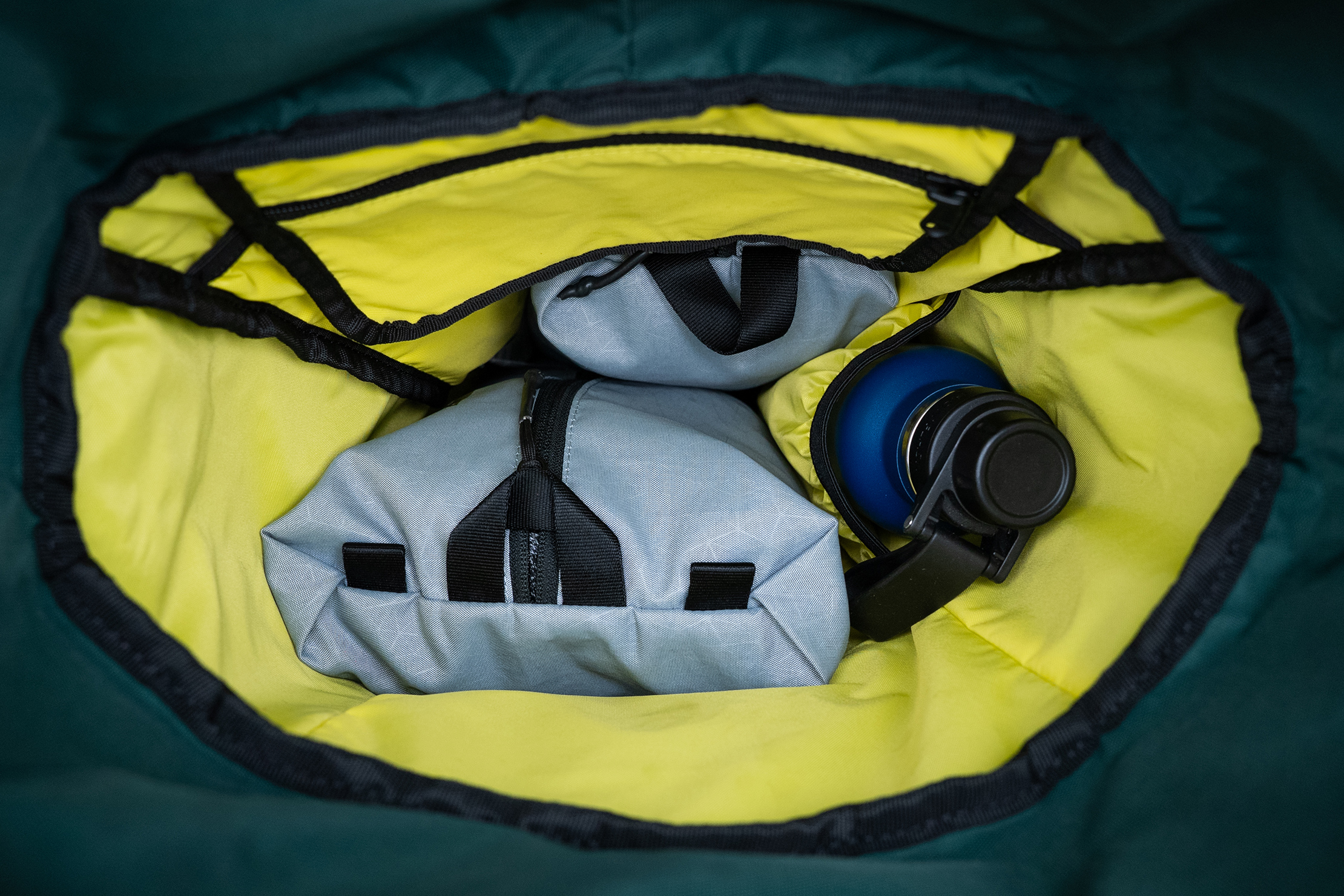
The rest of the bag is open space to fill as you like. You’ll just want to remember to put gear you don’t need often on the bottom and things you will need to grab quickly (or more often) near the top. If you’re using this as a personal item bag on the plane, the top-loading design will make it easy to grab snacks or your 3-1-1 bag, even when you slide the Cosmos Backpack under the seat in front of you. However, it will make accessing your laptop more of a chore since it’ll be buried under everything else.
It’s great for carrying everything you need for the day, as long as you realize that it’ll take a little rummaging to grab what you need if you don’t pack carefully. The solution to that, of course, is to take care when packing, using packing cubes, pouches, and kits to DIY the organization.
Usage Timeline
Condition: Excellent
- We’re so surprised by how comfortable this bag is
- You really have to take care when packing it
- The flexible structure can make it hard to fill certain pockets




Get your questions about the Topo Designs Cosmos Backpack answered from our team and the Pro Community right here on the page. Plus, join discussions with other members about gear, guides, and more.
Join Pack Hacker Pro or, Sign In