Logitech Pebble Keys 2 K380S Review
The Logitech Pebble Keys 2 K380S is a compact, multi-device Bluetooth keyboard with good battery life and a solid typing feel for travel and casual use.
Our Verdict
Save time. Get access to brief summaries of our reviews so you can browse and make decisions more efficiently.
Pros
- The recycled plastic is durable and feels nice
- The keyboard lasts up to three years on two AAA batteries
- You can fit it into some larger slings and tech pouches
Cons
- It doesn't have a backlight
- You don't get as much functionality as other, larger keyboards
- The angle pitch might not be enough for some users
Technical Details
-
Weight (oz)
4.64 oz (131.5 g)
(with batteries)
-
Dimensions
4.88 in x 10.98 in x 0.63 in (12.4 x 27.9 x 1.6 cm)
-
Notable Materials
Recycled Plastic
-
Manufacturing Country
China
-
Warranty Information

Full Review
The Logitech Pebble Keys 2 K380S is the perfect size for travel. It’s small, but not too small. Still, is it comfortable to use, and is the Bluetooth connectivity up to par for multiple devices? Let’s dive in to find out whether this thing is capable enough for travel or whether you should leave it behind.
The Rundown
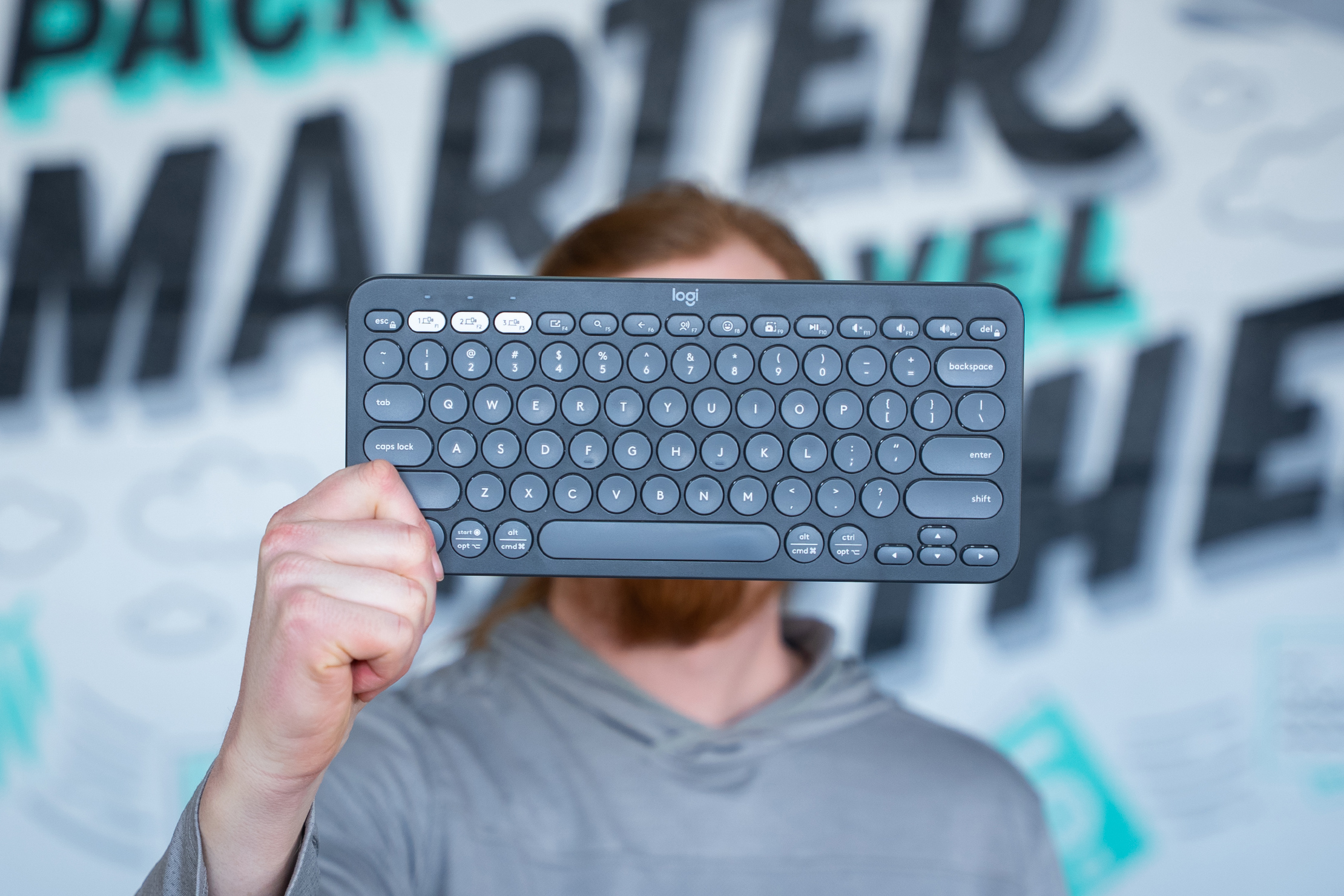
The keyboard is crafted from certified post-consumer recycled plastic, which is a solid shout from a sustainability perspective. It feels sturdy and nice in your fingers. Some plastic keyboards, especially those in the sub-$50 price range like this one, feel cheap. This one doesn’t, and if you didn’t know better, you might think it was closer to $100 than the $34 it was on sale for at the time of writing. Even when it isn’t on sale, $40 isn’t bad for something that feels this sturdy.
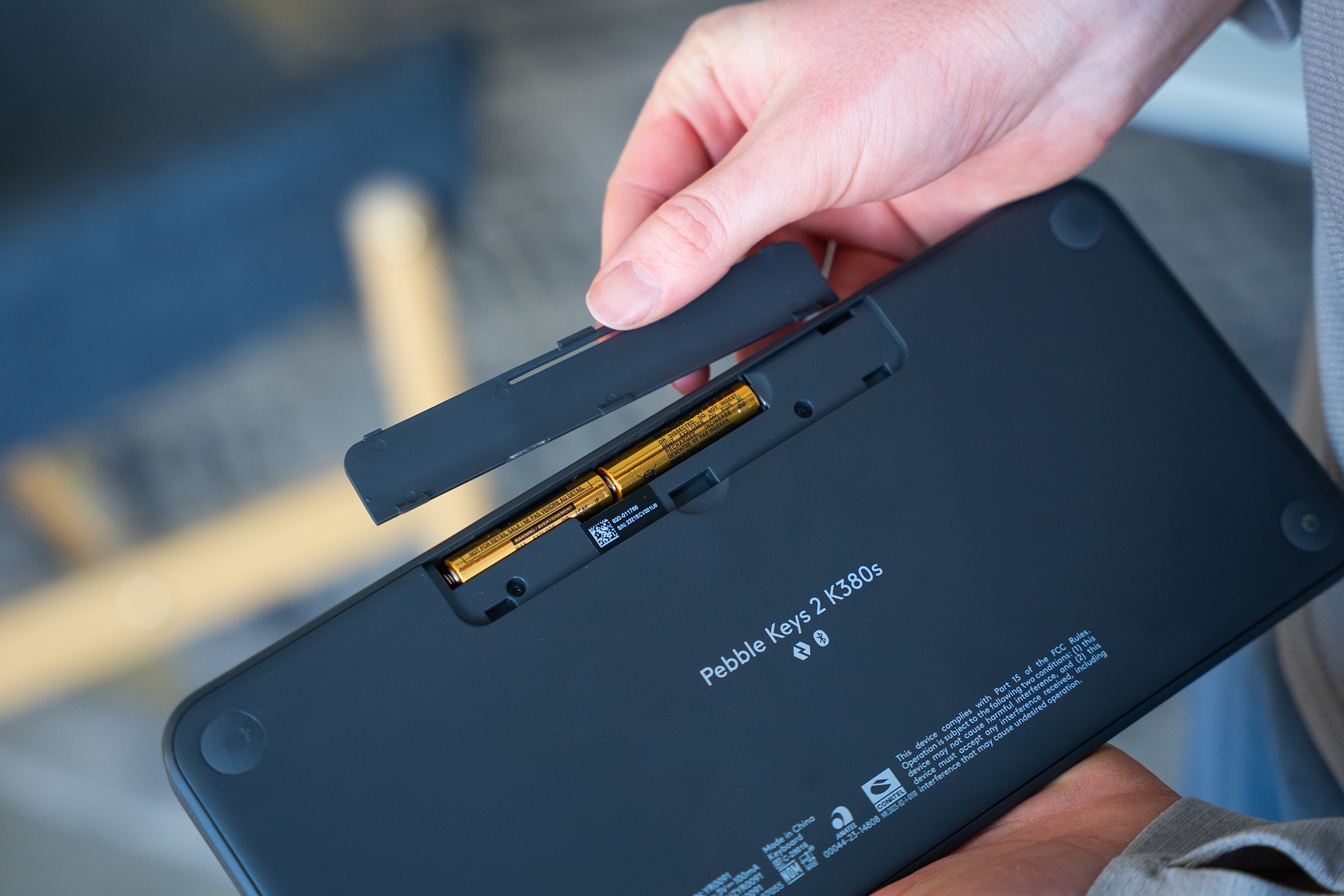
The bottom has silicone feet to prevent slipping, which work well. We’ve tried it on faux wood, real wood, granite, and a synthetic plastic table top, and the silicone worked on all the surfaces.
Two AAA batteries power the keyboard. We dig this for a few reasons. First, AAA batteries are readily available worldwide. Plus, they last for ages. This keyboard doesn’t have many bells and whistles, which may be a con for some, but it lasts a long time because it does only one job. After over a month of use, the PC and Mac that we’ve been testing the keyboard on both indicate that it still has more than 95% of its battery remaining. Logitech says that the battery will last up to 3 years. We love USB-C charging keyboards, but with 36 months of battery life, you can’t really complain about replacing a couple of batteries every few years.
There’s a power switch on the left side of the keyboard. It won’t get hit accidentally while you’re using the keyboard, but it might when you’re sliding it in and out of your daypack. This only happened to us once, but it’s worth knowing before you buy it so you can figure out why your keyboard is or isn’t working when you pull it out of your tech pouch.
You can connect up to three devices to the keyboard at once. It’s easy to filter through them using the F1, F2, and F3 keys, and we connected this keyboard to a Windows 11 PC and an older MacBook Pro without issue.
This keyboard certainly has some latency, but after a month of use, it was never noticeable enough to say anything negative about it. In testing, the Bluetooth held up even while rendering video in Premiere Pro, ripping DVDs for a Plex server, and playing Roller Coaster Tycoon, sometimes simultaneously. Yes, we’re still playing RCT in 2026; don’t ask.
The keyboard is angled, but only slightly. It’s enough to be comfortable and offer good ergonomics, though you may not notice much if your desk height isn’t optimal or you have large hands.
The keyboard doesn’t have a number pad, but we didn’t expect one on a travel keyboard. It’s a cute little keyboard that packs a punch, so long as you don’t need the number pad. If you’re typing for 10 hours a day, you might not enjoy how small it is. But, if it’s for general use or travel, we dig it.
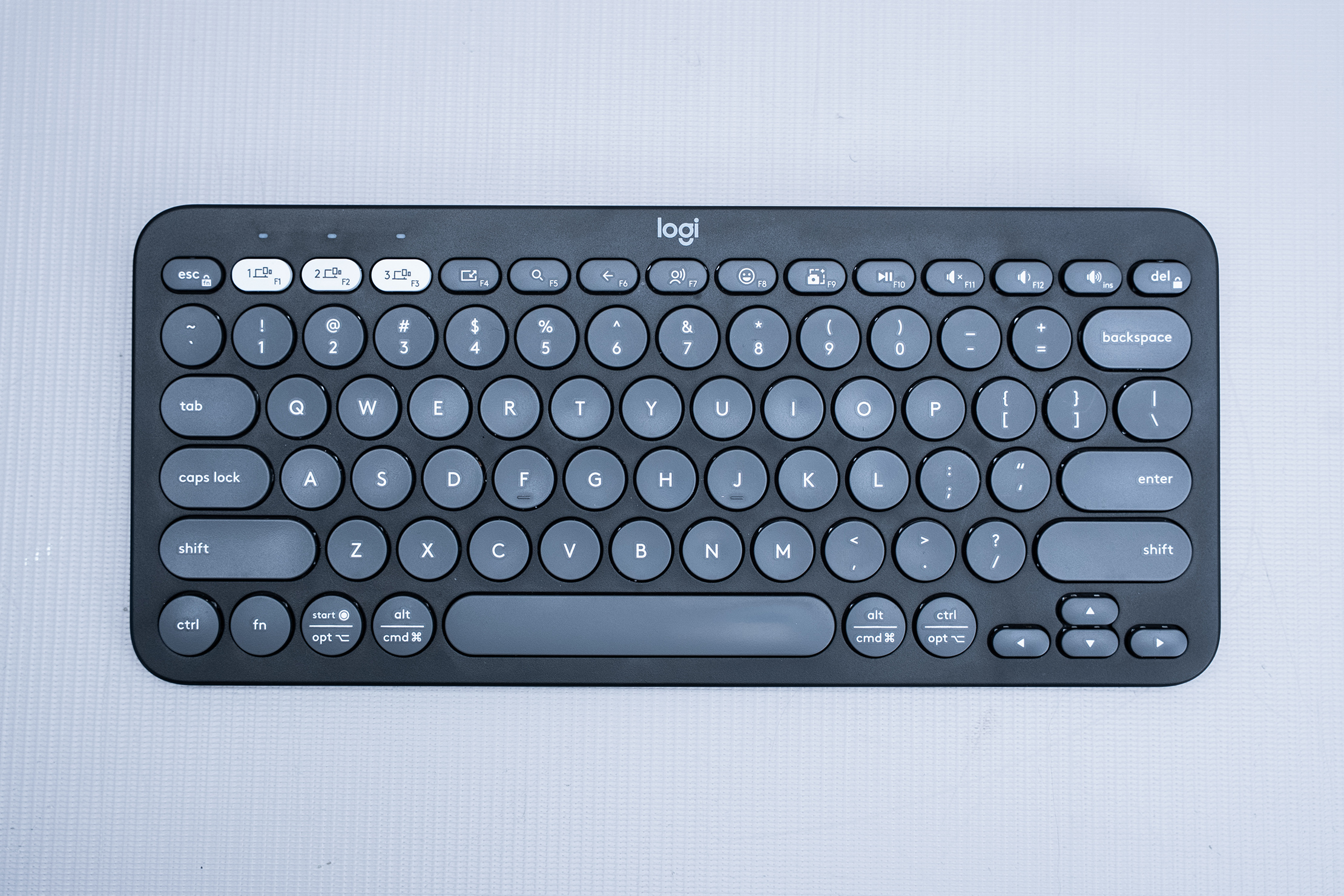
Switching between Mac and PC can be a little confusing, but that’s true of most keyboards that support both operating systems. You’ll figure out which keys do what pretty quickly, and the keyboard handles both well. Plus, you can use the Logi Options+ app to customize the keyboard to suit your needs. You can remap the F-row keys and set shortcuts for applications such as Adobe Creative Suite, Google Chrome, Grammarly, and Microsoft Office. Generally, the apps seem more Windows-focused, but there are solid options for everyone.
The keys are super responsive. They feel more like mechanical keyboards than others we’ve tested, though they aren’t nearly as satisfying as a nice mechanical keyboard.
Packability
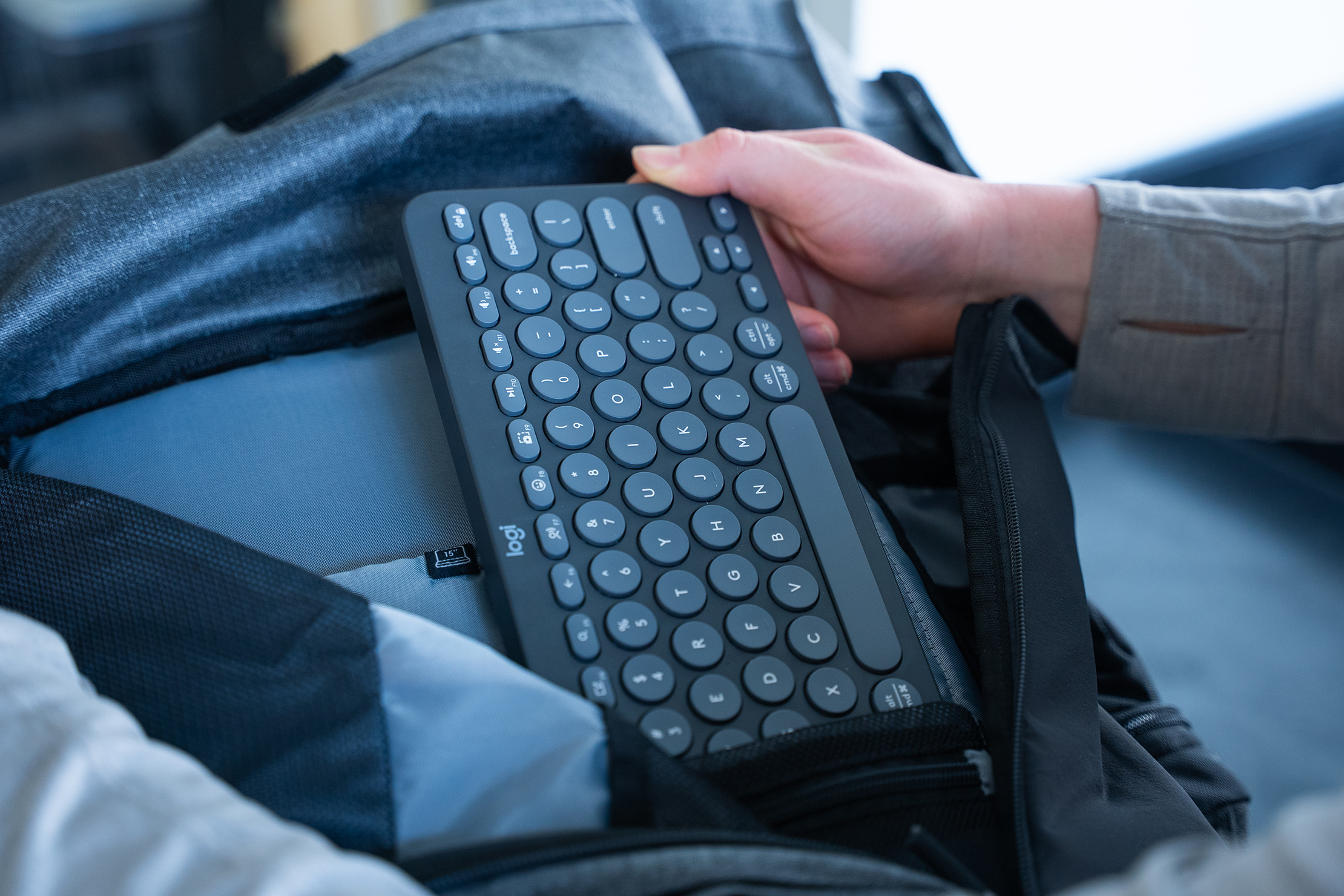
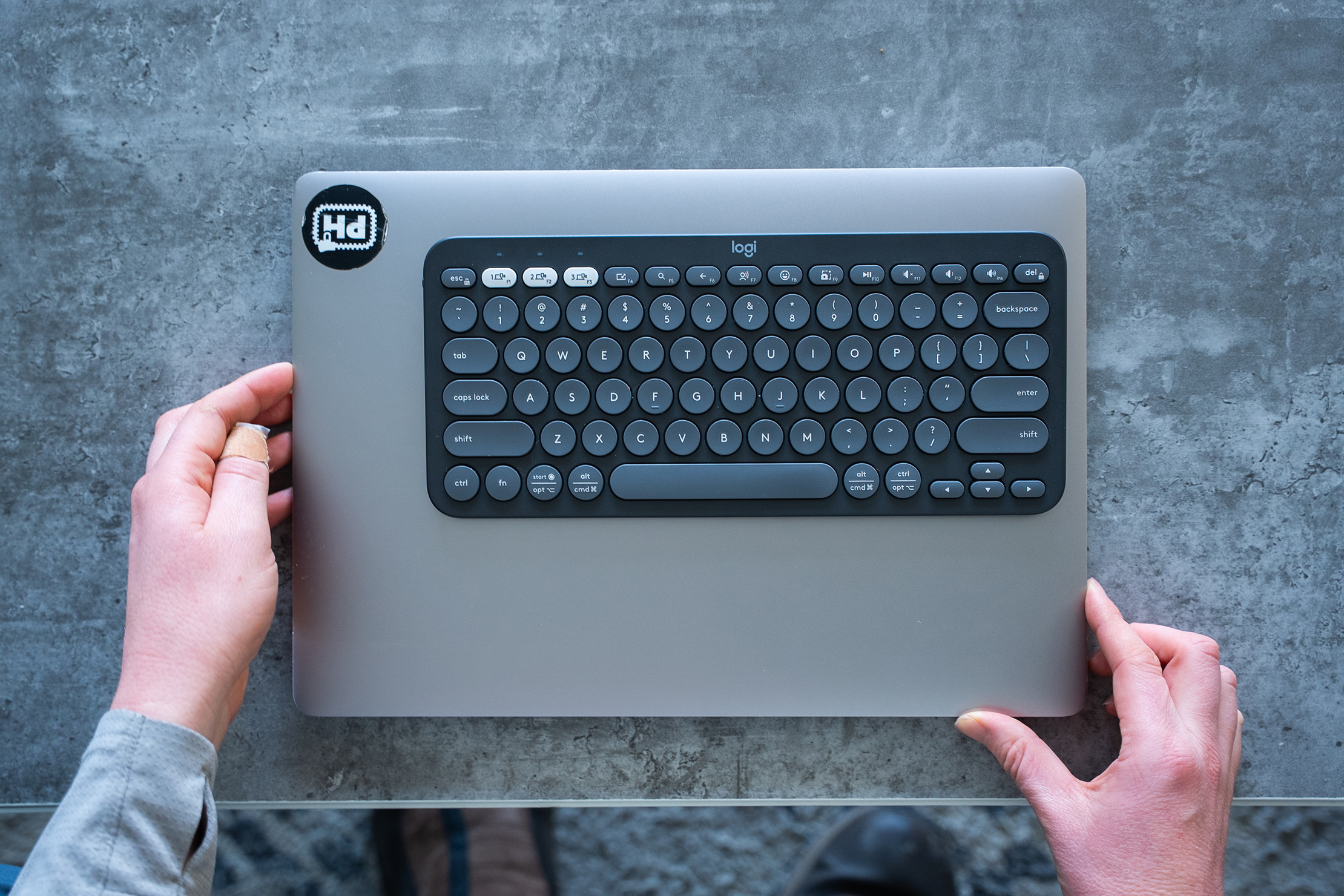
Calling a keyboard that doesn’t fold up or roll away packable feels weird, but we think this thing is small enough to earn the moniker. It’s tiny, measuring less than 11 inches long on the long edge. You can fit it into most places that you can fit a tablet, whether that’s a large sling, a daypack, or a travel backpack.

Though it’s a pretty good size for a small keyboard, it’s probably too small for those who are working with data entry. The lack of a number pad will deter some heavy users, and the key size isn’t ideal for those who will be using it for a full workday every day. That said, for more casual use, it excels. Also, if the choice is between packing the Logitech Pebble Keys 2 K380S or no keyboard for a trip, this is undoubtedly a better option for keeping your back and wrists comfortable compared to using your laptop all day.
You don’t need a case, though third-party sellers manufacture them. Just slide it into your laptop compartment or tablet sleeve. It’s durable enough to handle the bumps and knocks of travel, no matter the destination.
Quick Comparison
Compared to the excitement of using a mechanical keyboard, you’ll get a few things and lose a few things when using the Logitech Pebble Keys 2 K380S. Obviously, you don’t get that satisfying click-clack, but there’s more to it than that.
The Logitech Pebble Keys 2 K380S is cute and fun, but it isn’t as enjoyable to use as a mechanical keyboard. It isn’t as comfortable to type with, either, especially if you write a lot. You can’t customize the physical keys like you can with a mechanical keyboard, and there’s no backlight or extra features. Generally, the user experience with a mechanical keyboard is far superior to that of the Logitech Pebble Keys 2 K380S. Still, we think this is a worthy option. Why?
The Logitech Pebble Keys 2 K380S is cute looking and will fit almost anywhere you’re going, even into some larger slings. The keyboard is very lightweight and thin, making it easier to pack. For a small keyboard, it’s very comfortable to use, even if you’re typing for a few hours straight (or playing Roller Coaster Tycoon). You can customize the keys digitally and make it easier to use your favorite programs and apps, which goes a long way when you’re working as a digital nomad.
The AAA batteries last for years, and even if they die while you’re traveling, you can get replacements anywhere. A USB-C port is handy, but most mechanical keyboards won’t last as long as this one will. You can connect up to three devices, which isn’t revolutionary, but is enough for most users (and maybe their partner, too).
Overall, the Logitech Pebble Keys 2 K380S is a solid little keyboard with a budget-friendly price. Sure, it isn’t as customizable or powerful as other keyboards on the market, but its plug-and-play design just works, and it’s fun to use. What else can you ask for?
Usage Timeline
Condition: Excellent
- The plastic has held up well
- No issues with the Bluetooth connectivity or switching between devices
- The silicone feet are still operating normally
Condition: Excellent
- The plastic still looks brand new
- The silicone feet pick up dust easily, but they’re still working well
- No issues with the keyboard’s functionality



Get your questions about the Logitech Pebble Keys 2 K380S answered from our team and the Pro Community right here on the page. Plus, join discussions with other members about gear, guides, and more.
Join Pack Hacker Pro or, Sign In