Anker Nano Charging Station (7-in-1, 100W) Review
The Anker Nano Charging Station (7-in-1, 100W) combines AC outlets, USB ports, retractable cables, and a display into a compact hub for desk or travel use.
Our Verdict
Save time. Get access to brief summaries of our reviews so you can browse and make decisions more efficiently.
Pros
- It combines AC outlets, USB ports, and built-in cables into a single, all-in-one charging solution
- The retractable USB-C cables help reduce cable clutter and keep setups tidy
- The display provides useful real-time feedback on power output and port usage
Cons
- The unit is relatively large and heavy, making it less convenient for frequent travel
- The built-in power cable is not removable, limiting flexibility over time
- Power is shared across ports, reducing charging speeds when multiple devices are connected
Technical Details
-
Weight (oz)
21.69 oz (614.9 g)
-
Dimensions
4.76 in x 2.86 in x 2.09 in (12.1 x 7.3 x 5.3 cm)
-
Notable Materials
Plastic, Metal
-
Manufacturing Country
Vietnam
-
Warranty Information


Full Review
The Anker Nano Charging Station (7-in-1, 100W) is marketed as an all-in-one charging solution. Between AC outlets, multiple USB ports, and built-in cables, it certainly looks like it can handle just about anything you throw at it.
But does it actually replace all your chargers—and cut down on cable clutter in a meaningful way? Let’s dive in.
The Rundown
At its core, this is a desk charging station. You plug in a single cable, and it expands into a hub for powering and charging a wide range of devices. Before we get into the ports and functionality, let’s talk about the materials.
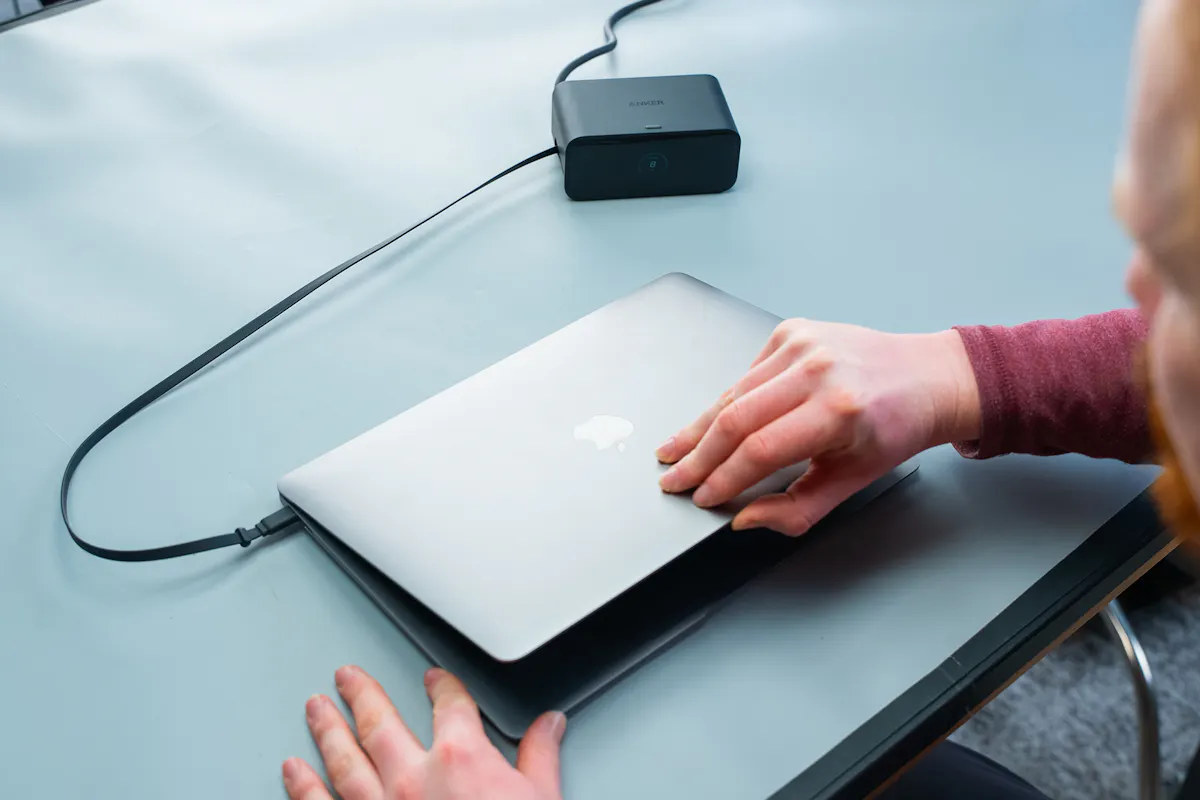
The exterior is primarily made from molded plastic, but it doesn’t feel cheap. It’s hard, durable, and has a matte finish that gives it a clean, professional look. There’s a subtle Anker logo at the top, and overall, it doesn’t draw too much attention, which we appreciate in a desk setup.
On the front, there’s a display that looks like glass but feels more like plastic. Still, it looks sleek and modern, and we didn’t have any visibility issues during testing.
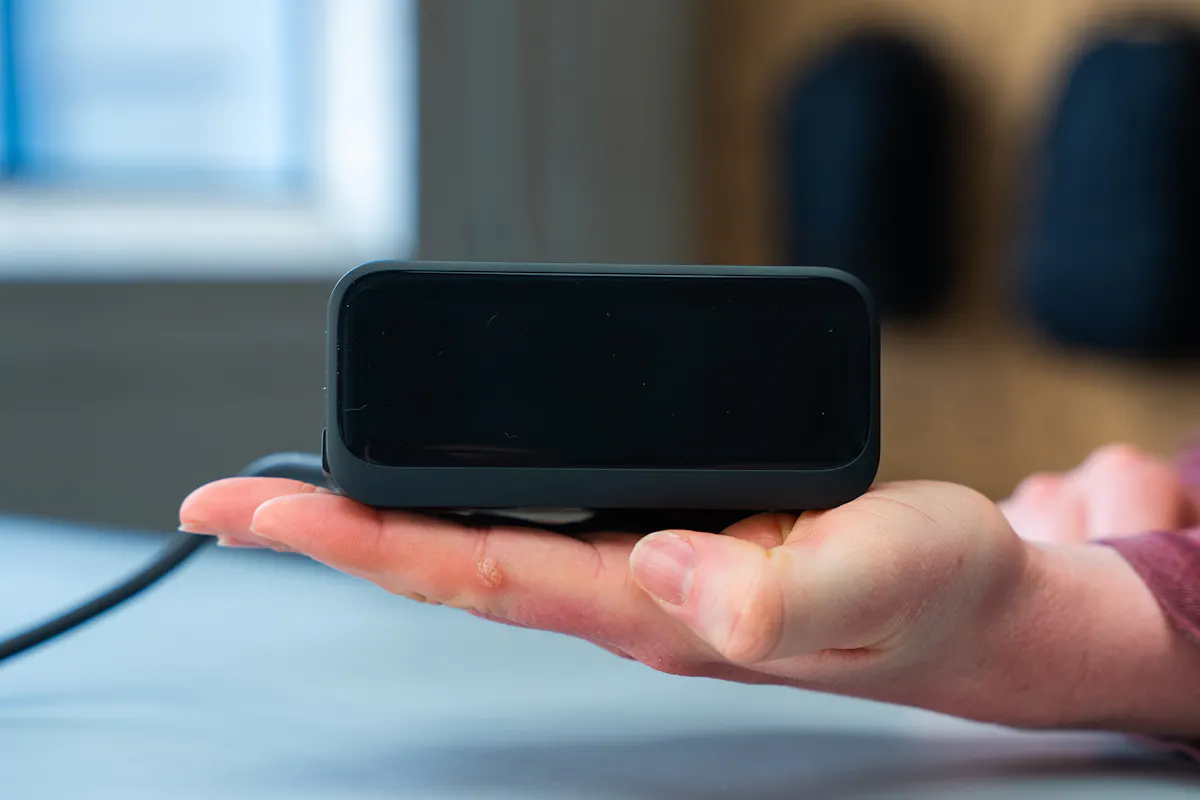
Flip it over, and you’ll find four silicone-like feet—one in each corner. These do a solid job of keeping the unit from sliding around, even when plugging and unplugging cables.
As for how it actually works, everything is powered through a single, non-removable cable that’s roughly 60 inches long. It’s a decent length for most setups, though the fact that it isn’t replaceable is something to keep in mind in the long term.
The plug itself is angled diagonally, which helps in tighter spaces, though it can be a bit awkward depending on what else is plugged into your outlet. If something bulky is sitting immediately to the right, things can get cramped.
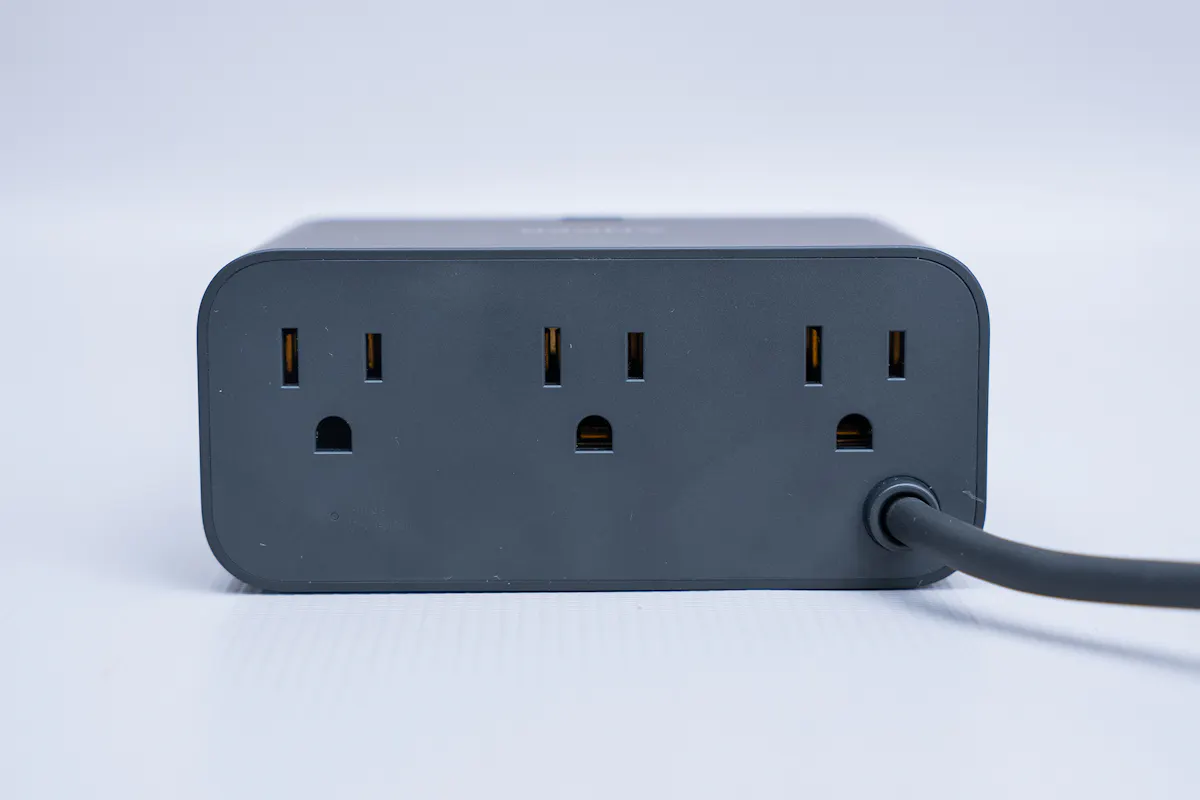
Around back, there are three AC outlets. They’re spaced well enough for most plugs, though the one on the right sits close to where the power cable enters the unit. If you’re using a particularly large or oddly shaped plug, it might be a tight fit in that spot.
On both sides, you’ll find retractable USB-C cables. Each extends up to about 2.3 feet, and you don’t have to pull them all the way out—they’ll stay at whatever length you set. When you’re done, they snap back into place cleanly, which helps keep your setup looking tidy.
On the right side, there are also two additional ports: one USB-C and one USB-A. We’re glad to see the USB-A port here. It may feel a bit dated, but it’s still useful if you’ve got older cables or accessories lying around.
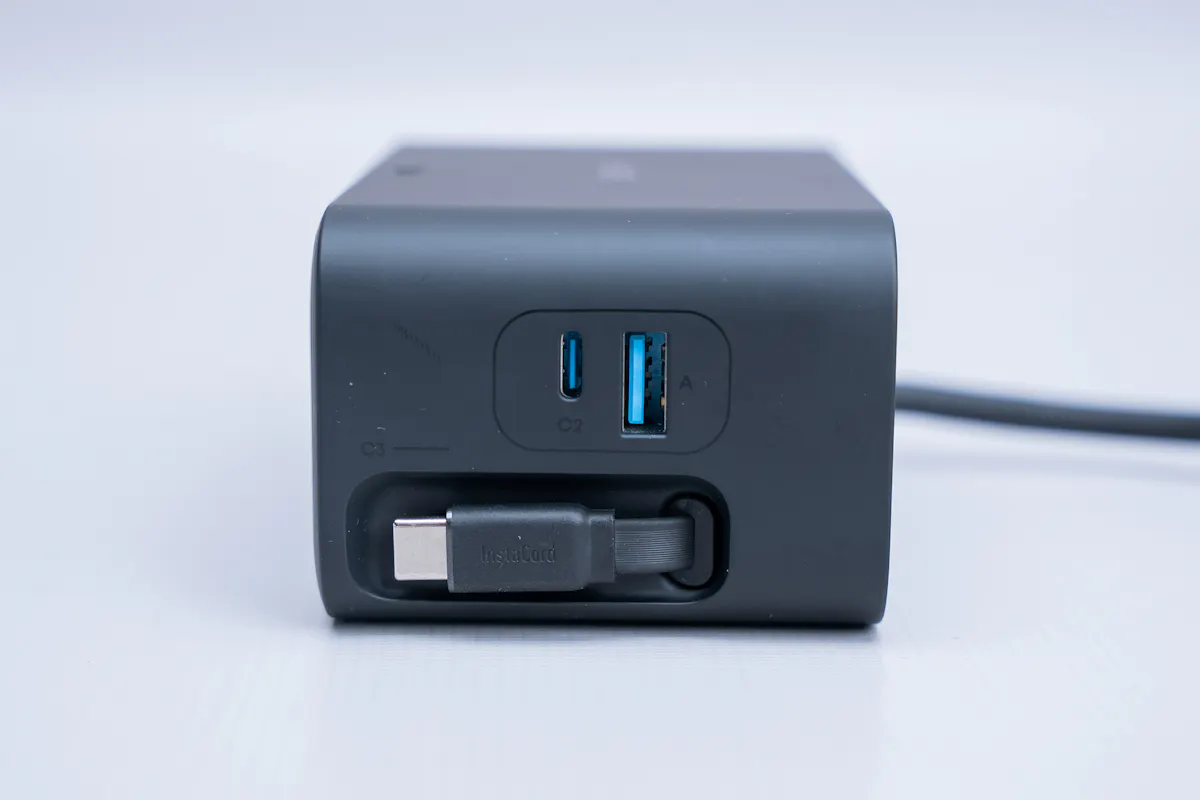
Altogether, you get three USB-C ports (including the two built-in cables), one USB-A port, and three AC outlets. That’s a healthy mix for most setups.
In terms of power, if you’re using a single USB-C port, you can get up to 100W—plenty for something like a laptop. The USB-A port maxes out at 12W. When you start using multiple ports at once, the power gets distributed. For example, using all four USB ports gives you 30W from each retractable USB-C cable, 28W from the USB-C port, and 12W from the USB-A.
You could spend a long time digging into exact power configurations, but the good news is—you don’t really have to. That’s where the front display comes in handy.
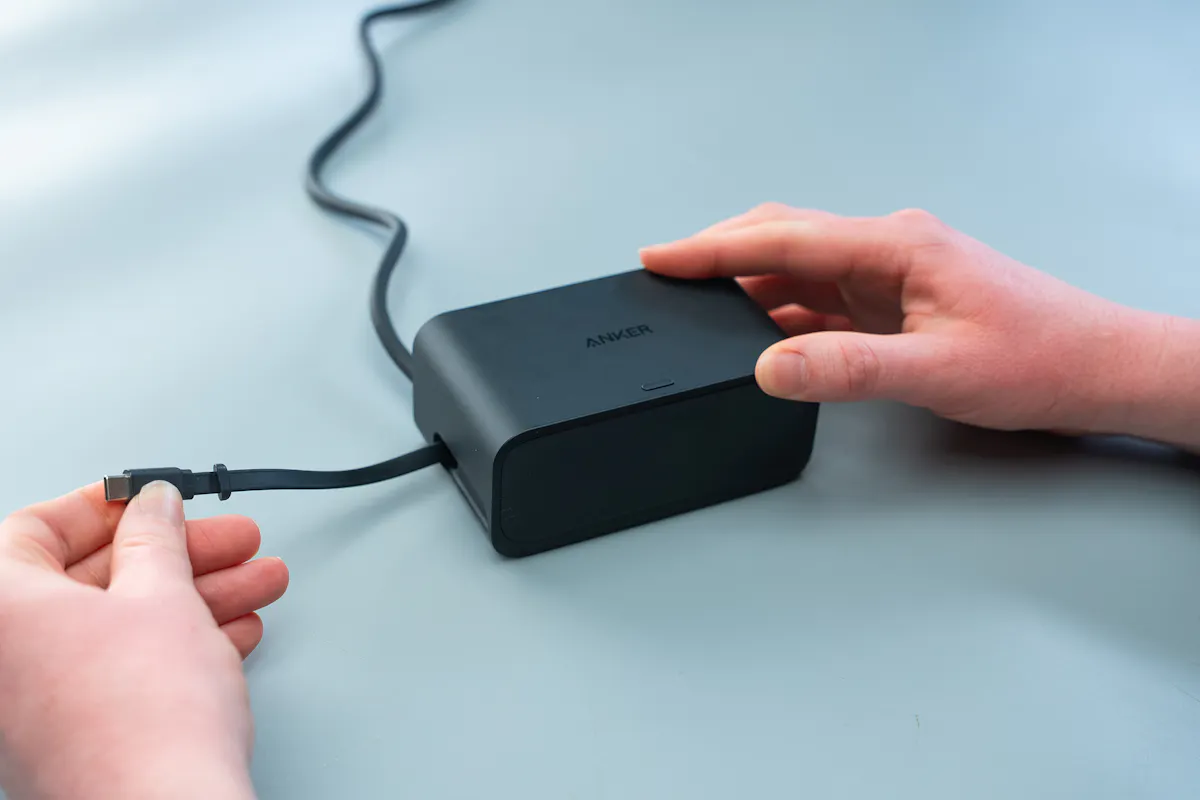
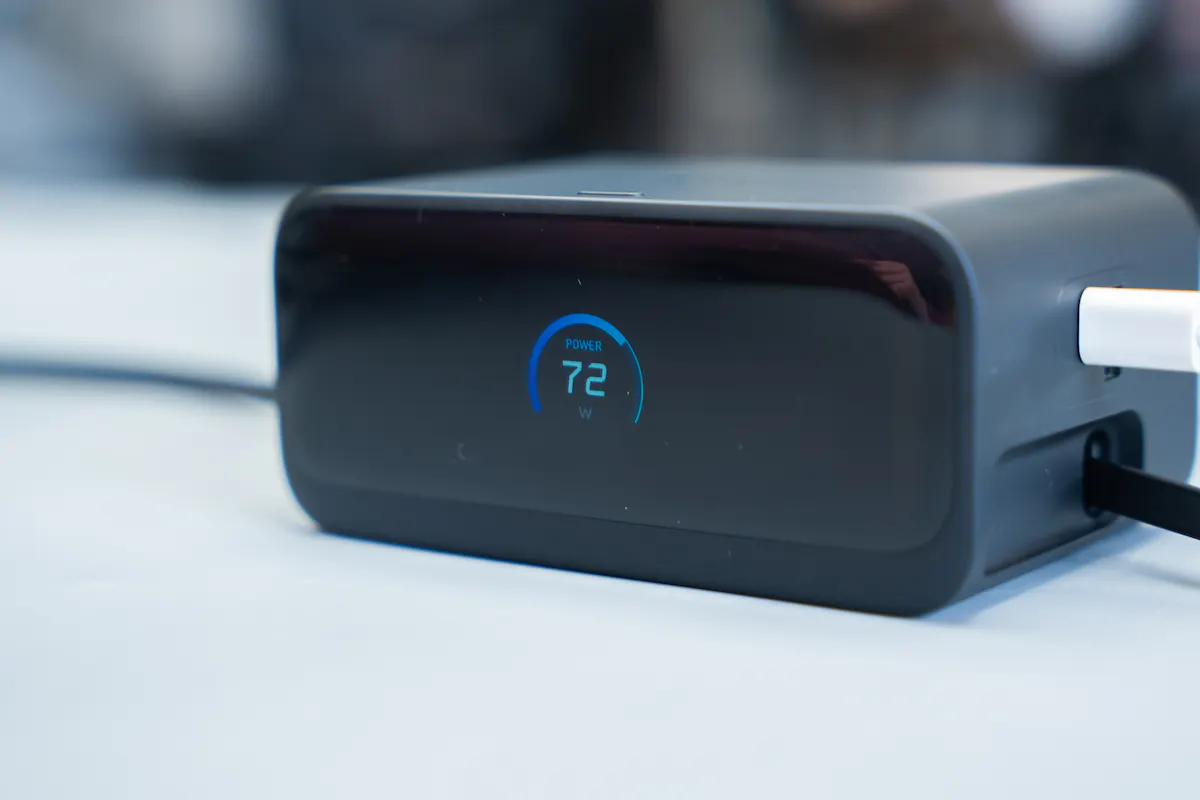
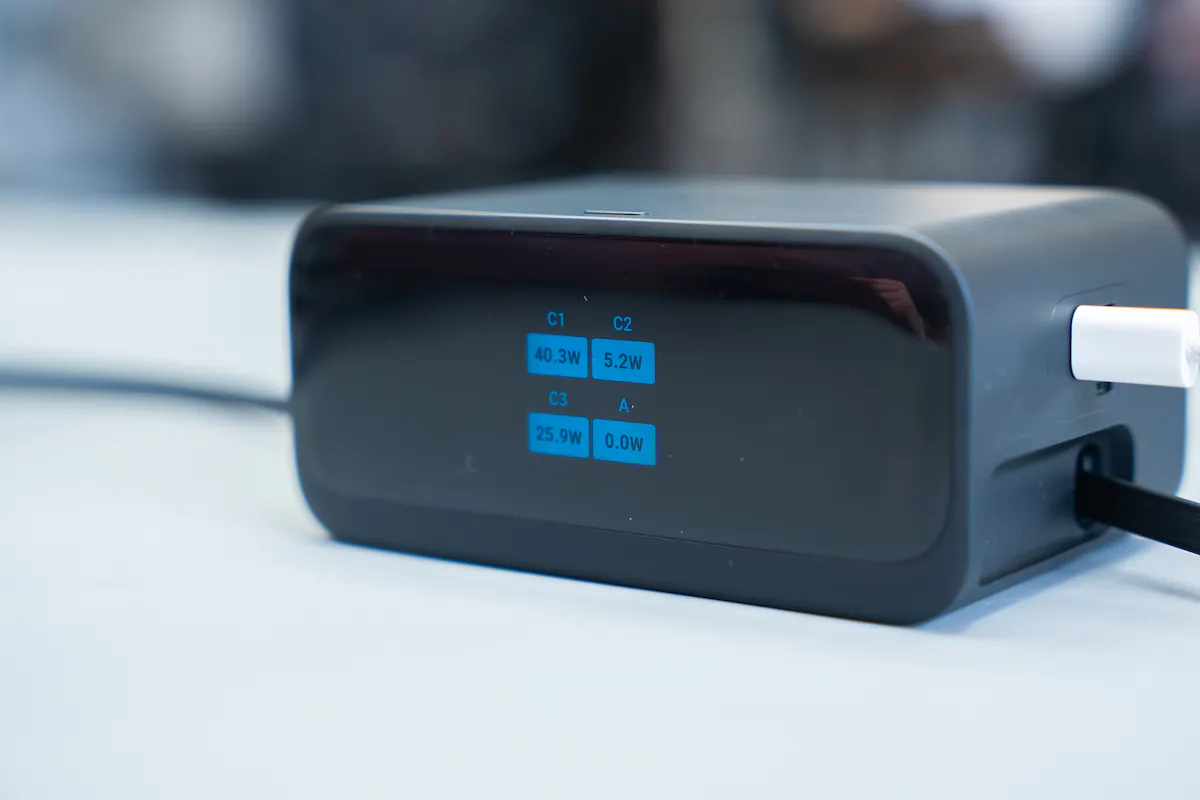
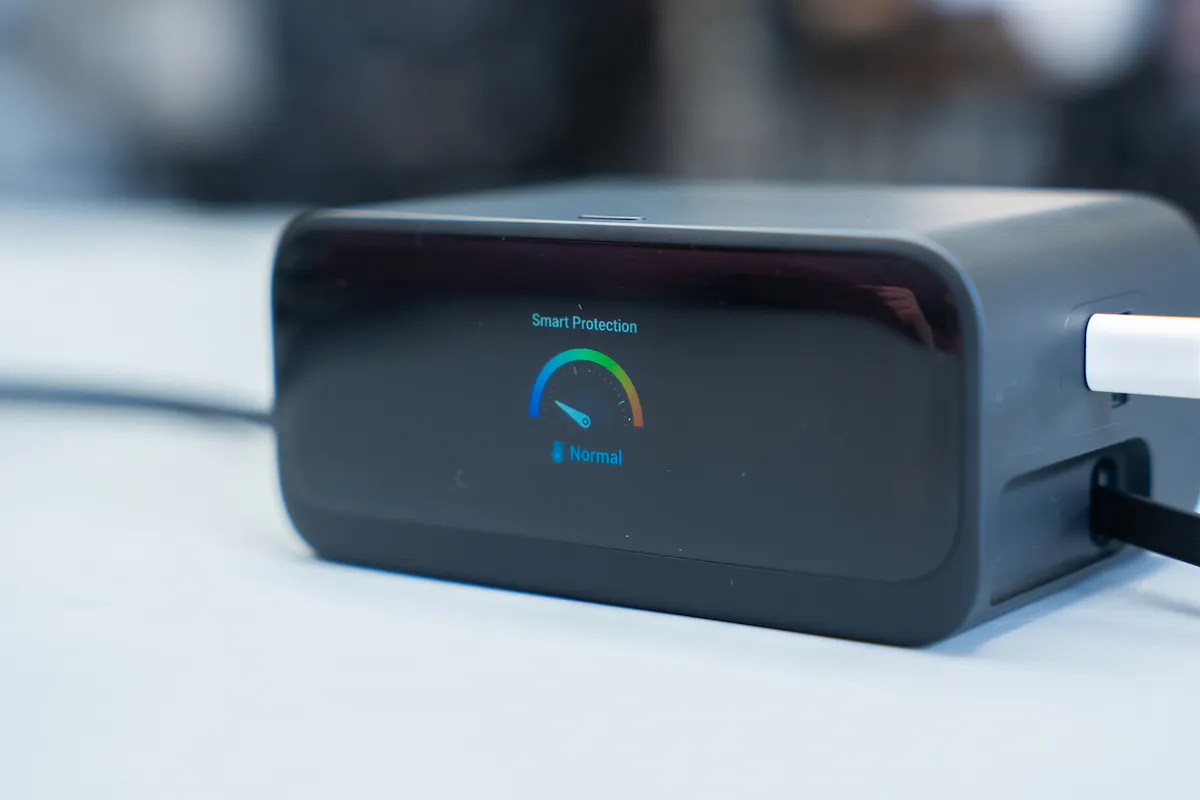
There are three different screens you can cycle through using a button on top of the unit. One shows total power output, another breaks down how much power each port is delivering, and the third is a surge protection screen with a gauge that indicates how heavily the unit is being loaded.
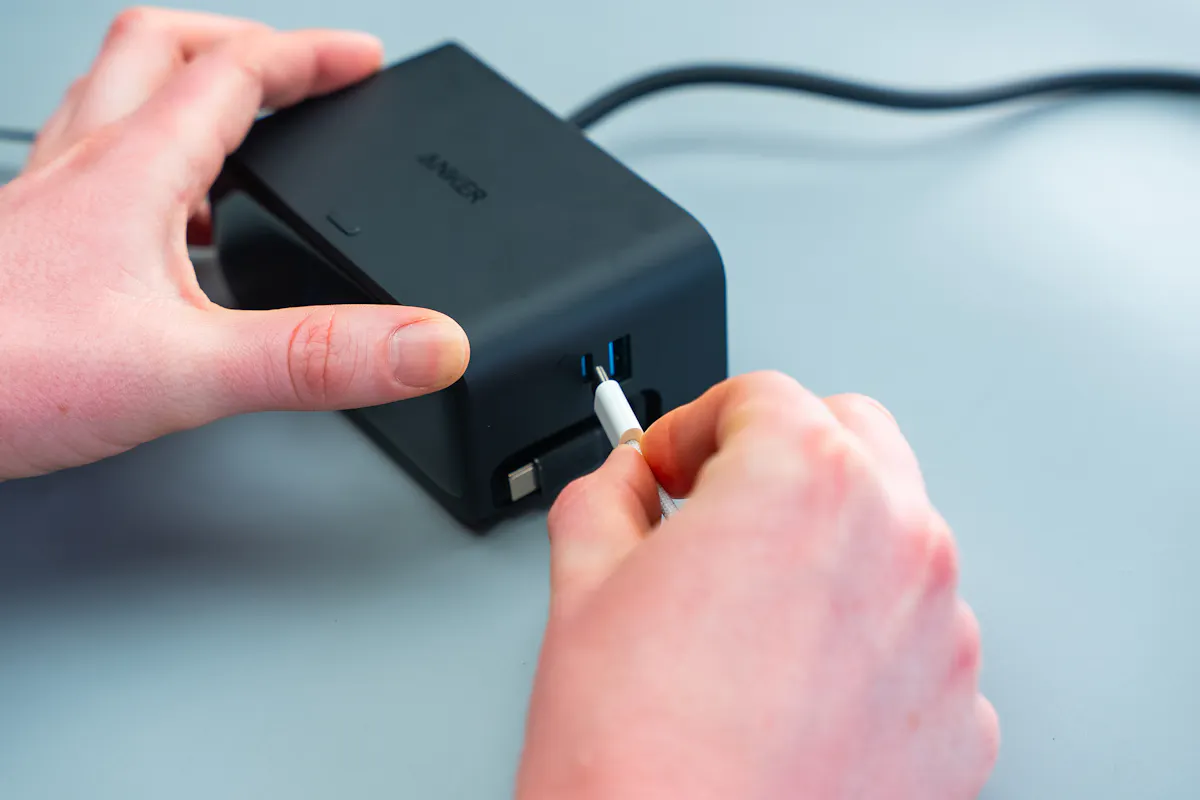
In practice, we found ourselves using the per-port breakdown screen most often. It’s helpful to confirm that everything is charging as expected quickly. That said, if you’re only charging one device, the total output screen is a bit cleaner.
Packability
This isn’t what we’d call travel-sized—but that doesn’t mean it can’t travel.
It measures 4.76 × 2.86 × 2.09 inches (121 × 72.6 × 53.2 mm), which puts it in an interesting middle ground. It’s not tiny, but it’s not overly bulky either.
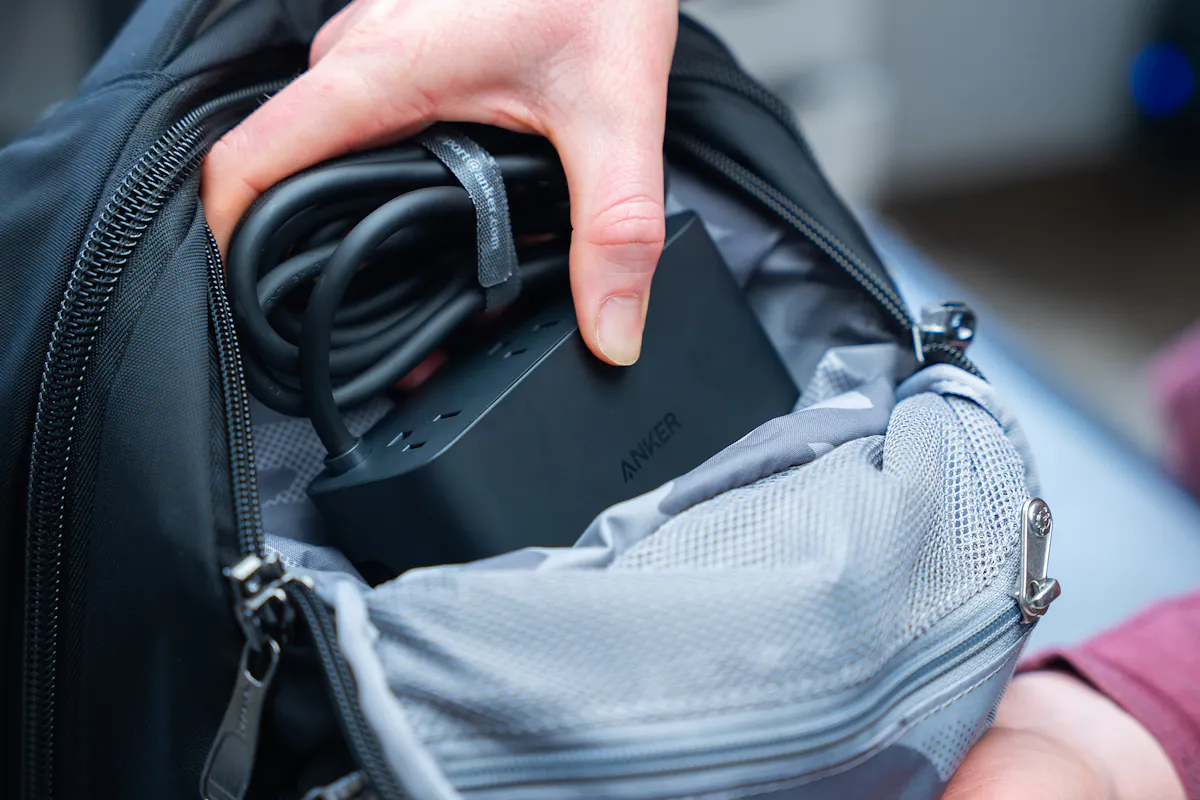
That said, it’ll take up a noticeable amount of space in a personal item. In something like a backpack, you’ll definitely feel it. However, in rolling luggage—especially a checked bag—it fits in without much trouble.
Weight is another factor. At 21.69 ounces (615 grams), it’s fairly hefty. Not outrageous, but you’ll notice it if you’re trying to pack light. For context, it’s around the weight of a typical travel water bottle.
So, no—it’s not the most travel-friendly option out there. But if you’ve got the space, it’s manageable.
How We Used It
We primarily used this charging station in two ways: set up on a desk at home, and while traveling.
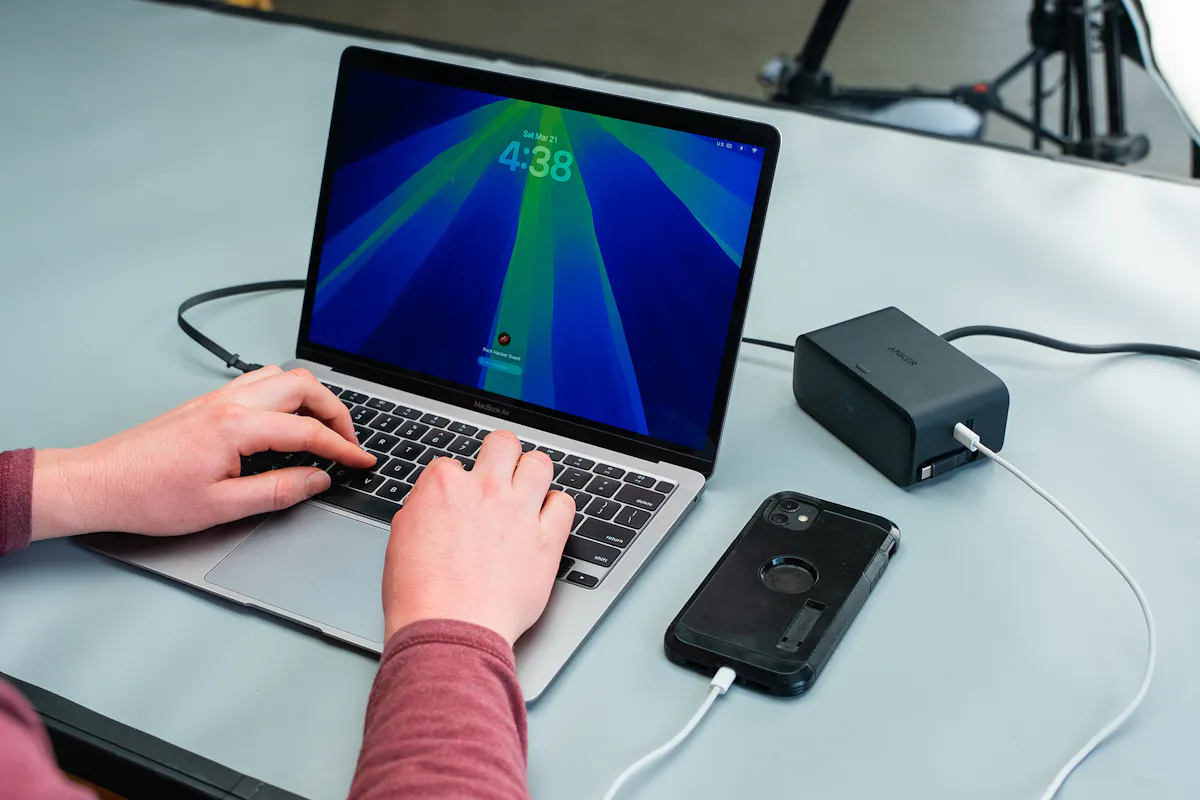
At home, it became the central hub for our entire desk. We had a gaming PC and two monitors plugged into the AC outlets, while an older Bluetooth speaker (that requires constant power) used the USB-A port.
The USB-C port handled an iPhone via a USB-C to Lightning cable, and one of the retractable USB-C cables powered a MacBook Pro for work.
The second retractable cable acted as a kind of “floating” charger. Throughout the week, we used it for headphones, cameras, flashlights, battery banks—pretty much anything we had on hand.
This setup worked well. While some external cables remain, the retractable ones significantly reduce clutter. Combined with the rear-facing AC outlets, it keeps your workspace feeling more organized than a traditional power strip.
We also brought it along for travel—and while it’s not ideal for every type of trip, it shines in specific scenarios.
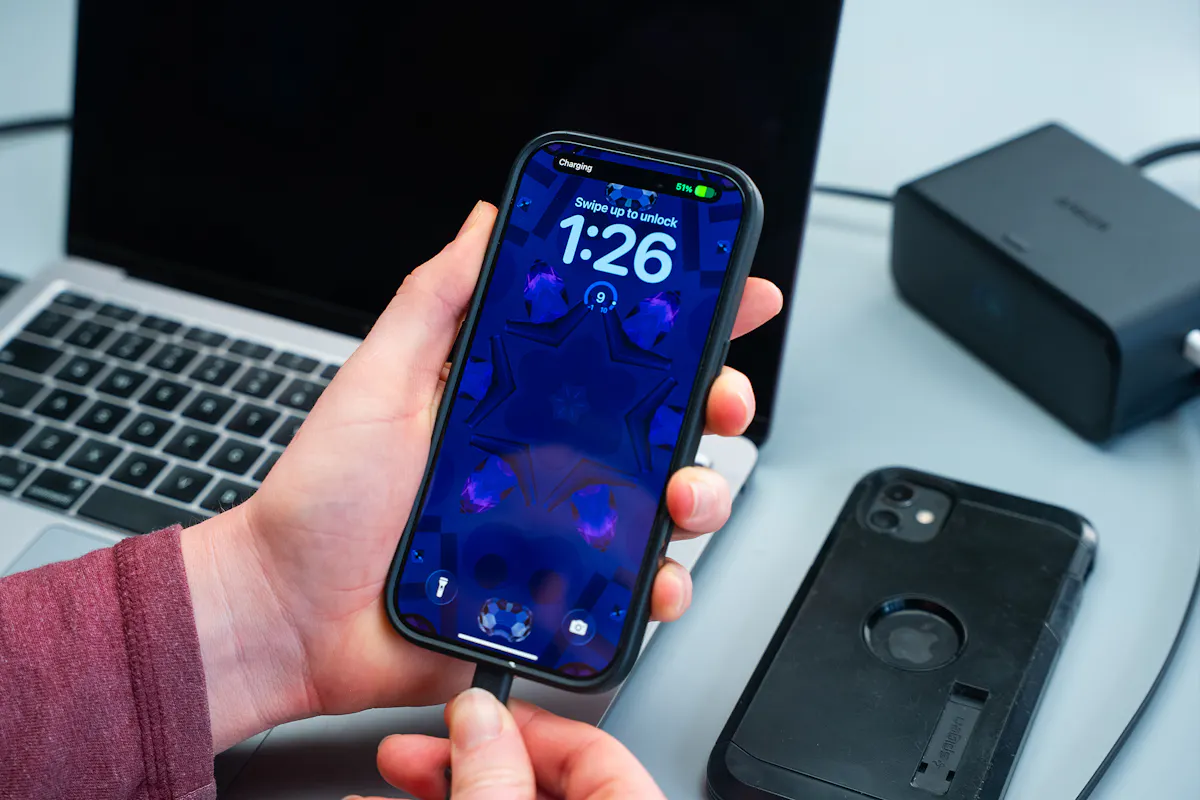
In places where outlets are limited—like older hotels or cabins—it’s incredibly useful. On a trip to northern Michigan, we used it in a cabin without great plug access. This lets us charge everything overnight and stay powered during the day without constantly swapping cables.
If most of your gear runs on USB-C, you could realistically get away with bringing just this. And even if you rely on other connections, you only need to pack cables—not an additional wall charger—though you’ll still need a battery bank.
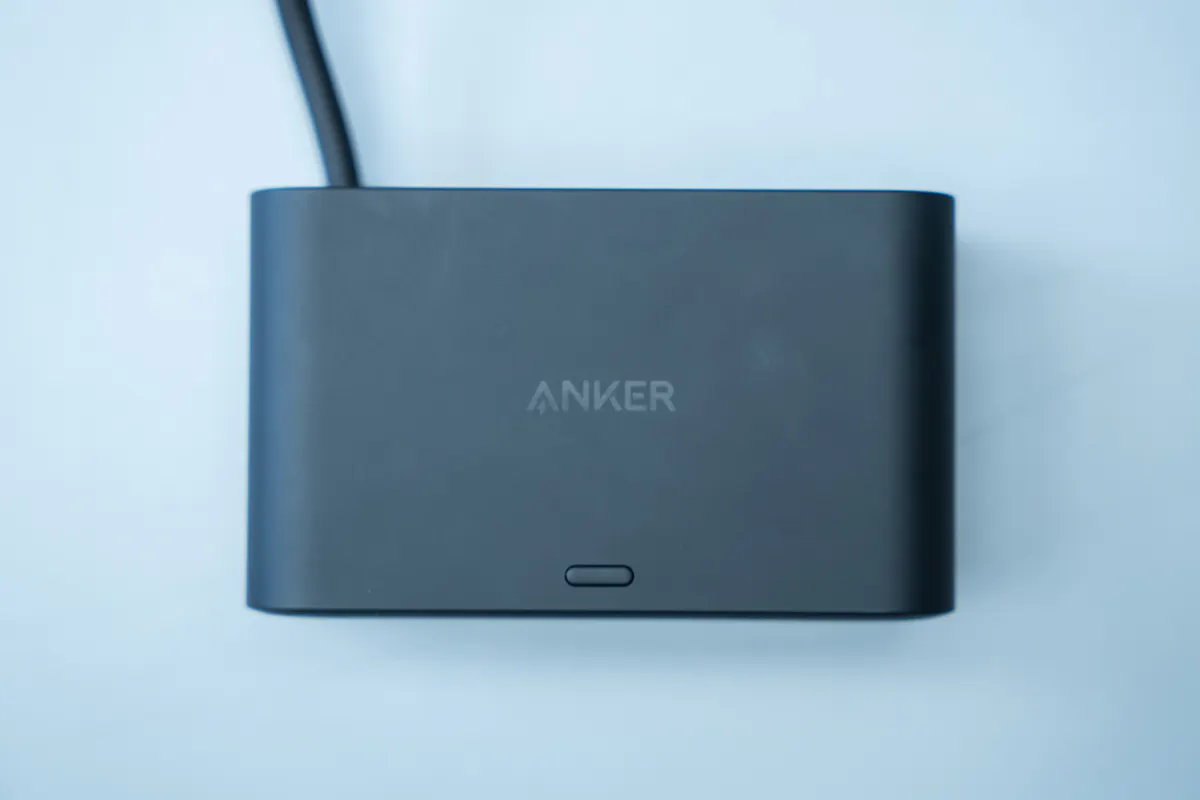
At the end of the day, this is a piece of gear that works just as well at home as it does on the road. It’s versatile, powerful, and cuts down on clutter in a meaningful way. The only real question is whether you’ve got the space to bring it with you.
Usage Timeline
Condition: Excellent
- The build quality feels solid
- No issues with the retractable cables initially
- The screen is nice and shiny
Condition: Excellent
- The screen smudges easily, but it isn’t hard to clean
- The plastic has proven durable in testing
- The cable shows no signs of fraying or splitting
Condition: Excellent
- No new issues to report; it is holding up well
- The cable has lost its bends over time, which is nice
Condition: Excellent
- No new issues to report; it’s still holding up strong





Get your questions about the Anker Nano Charging Station (7-in-1, 100W) answered from our team and the Pro Community right here on the page. Plus, join discussions with other members about gear, guides, and more.
Join Pack Hacker Pro or, Sign In